
Last Updated on March 26, 2026 by Denis Yankovsky
Staring at a blank screen while the cursor blinks mockingly? Struggling with writer’s block or grammar that makes you cringe? I’ve been there too. After years as a content marketing consultant helping businesses grow through strategic content, I’ve tested dozens of AI writing tools to separate the genuinely useful from the overhyped. This guide walks you through the 32 best options available right now, based on real testing across multiple industries and use cases.
Also creating video content? Check our guides on AI video tools and improving video quality with AI.
Table of Contents
Key Takeaways: Best AI Writing Tools 2026
After testing 32 AI writing tools across different scenarios, here’s what you need to know:
- ChatGPT and Claude dominate versatility: Both tools handle virtually any writing task with remarkable sophistication. ChatGPT’s GPT-5 and Claude’s 4.5 Sonnet deliver natural, contextual content from blog posts to creative fiction.
- HyperWrite and Jasper excel for content marketers: These platforms combine SEO optimization with workflow automation. They’re built for professional content teams who need consistency and efficiency at scale.
- Free tiers actually deliver value: HyperWrite, Rytr, Copy.ai, and ChatGPT offer robust free options. These aren’t just teaser features but genuine tools for individuals and small businesses starting their AI journey.
- Specialized beats general-purpose: Use Surfer SEO for ranking-focused content. Choose AdCreative.ai for ad copy. Pick QuillBot for paraphrasing. Don’t force one tool to handle everything poorly.
- Premium models justify their cost: GPT-5 and Claude 4.5 create significantly better content than GPT-3.5 alternatives. For professional work, the quality difference makes premium subscriptions worthwhile.
- AI detection matters more now: As platforms crack down on AI content, tools offering humanization features become increasingly valuable. The arms race between detection and evasion continues evolving.
- Integration transforms workflow: Chrome extensions and platform compatibility with WordPress, Google Docs, and other tools dramatically improve daily efficiency.
The content world has shifted dramatically. Digital marketing’s growth has created an unprecedented hunger for quality content. This demand sparked an explosion of various AI tools built specifically for writers and content creators. Content sits at the center of AI’s biggest disruptions, transforming how we approach everything from blog posts to product descriptions.
More businesses are embracing AI writing to scale their content operations. But here’s what many miss: these tools work best as creative amplifiers, not replacements. In my content marketing work nowadays, all successful teams use AI to handle routine tasks, freeing humans for strategy and creative direction.
In this article, I’ve shortlisted all the best AI tools for content creation available today. We’ll examine features, strengths, weaknesses, and real-world applications to help you find tools that actually boost productivity rather than add complexity.
Focused more on SEO, search ranking, or LLM and AI ranking? Check out our dedicated database on that.
How to Choose the Right AI Writing Tool for Your Needs
Selecting the right tool depends on your specific situation, not just feature lists. Here’s my practical framework for helping dozens of clients implement these systems.
Identify your primary use case first
Are you writing blog posts, crafting social media content, drafting emails, or creating SEO articles? Different tools excel at different tasks. E-commerce businesses benefit more from product-focused tools like Jasper and Copy.ai than general alternatives.
Set realistic budget expectations
Free tiers typically offer 10,000-25,000 characters monthly, perfect for casual users. Mid-tier plans ($20-50/month) work for freelancers and small teams. Enterprise solutions ($300+/month) provide unlimited usage and collaboration features.
Consider your actual workflow
Where do you write? Google Docs users should prioritize tools with Chrome extensions like HyperWrite and Compose.ai. WordPress publishers need direct integration. CRM users want tools that connect with their sales platforms.
Test before committing
Most tools offer trials or generous free tiers. Test 3-5 options with identical prompts. Pay attention to how much editing the output requires, because time savings only matter if the content needs less polishing.
Check the underlying AI model
GPT-4o/5-based tools like ChatGPT Plus and Jasper produce more accurate, nuanced content than GPT-3.5 alternatives. Claude 4.5 Sonnet offers exceptional reasoning and context handling. Model quality directly impacts your results.
Factor in detection and plagiarism needs
Publishing content professionally? Built-in plagiarism checkers and AI detection features save you from buying separate tools. Some platforms already penalize obvious AI content.
Consider team training requirements
Tools like ChatGPT require prompt engineering skills for optimal results. Template-based options like Jasper reduce learning curves. Factor training time into your decision, especially for team implementations.

How We Tested These AI Writing Tools
I evaluated each tool using a systematic approach developed through years of content consultancy work. This methodology reflects real-world use across 10+ industries.
Output quality assessment: Ten standardized prompts tested various content types, including blog introductions, product descriptions, email copy, social posts, and technical explanations. I measured naturalness, accuracy, coherence, and readability. For example, HyperWrite maintained a consistent brand voice across 50+ articles for one client, while ChatGPT excelled at complex reasoning tasks.
Usability evaluation: I tracked time to first usable output and noted whether tools required extensive prompt engineering or offered intuitive workflows. User-friendly platforms like Rytr and Jasper enabled client productivity within 30 minutes, while complex options needed several hours of training.
Feature comprehensiveness: Beyond basic text generation, I tested templates, SEO tools, plagiarism checking, and workflow automation. Premium platforms like Jasper and Surfer SEO justify higher costs through comprehensive feature sets.
Value analysis: I calculated cost per 1,000 words, evaluated free tier limitations, and assessed whether premium features warranted price increases. This included real-world testing of how far free tiers stretch in daily use.
Integration testing: Chrome extensions, WordPress plugins, Google Docs add-ons, and API access all underwent evaluation. Seamless integration dramatically improves adoption rates. HyperWrite’s extension, working across any website without login requirements, proved particularly valuable.
Support quality review: I contacted support channels, reviewed documentation completeness, and assessed tutorial availability. Strong support becomes critical during team implementations.
User feedback analysis: Reviews from G2, Capterra, and Trustpilot provided perspective beyond individual testing, considering feedback from at least 100 verified users per tool.
Transparency disclaimer: This article contains affiliate links for some tools. However, recommendations stem purely from testing results and real-world performance. I regularly use HyperWrite, ChatGPT Plus, Claude, SEOwind.io, and Jasper in my consultancy and blog work, providing deep insight into their capabilities and limitations.
Important Note: Pricing may vary; check the official website for current rates and feature details.
Use Case Matrix: Find Your Perfect AI Writing Tool
Instead of overwhelming you with 32 options at once, I’ve organized them by specific use cases based on extensive testing.
Long-form content specialists: Jasper, ChatGPT, Claude, Content at Scale, and Writesonic excel at extended articles and blog posts. They maintain consistency across longer pieces and handle complex topics well. Through 200+ client blog posts, Jasper demonstrates superior brand voice consistency while ChatGPT offers better factual accuracy on technical subjects.
Social media content creators: Copy.ai, Rytr, HyperWrite, and AdCreative.ai specialize in short-form, engaging posts perfect for social media marketing. Platform-specific templates and quick variation generation make them ideal for social managers. Copy.ai’s 90+ templates provide exceptional versatility across different platforms.
SEO-focused writers: Surfer SEO, Frase, MarketMuse, Scalenut, and SEO.ai combine content creation with optimization guidance. They analyze top-ranking content and provide keyword recommendations, content structure advice, and optimization scoring. For SEO projects, Surfer SEO’s content editor ensures articles meet search intent effectively.
Email and sales copy specialists: Copy.ai, Jasper, HyperWrite, and Compose.ai excel at persuasive writing for emails, sales pages, and marketing materials. Built-in frameworks guide proven copywriting approaches, and variation generation facilitates A/B testing.
Budget-conscious users: ChatGPT’s free tier with GPT-3.5, HyperWrite’s 10,000 monthly characters, Rytr’s 10,000-character allowance, and Google Gemini’s completely free access provide genuine value rather than limited teasers.
Team and enterprise solutions: Jasper, Copy.ai with Workflows, HubSpot, and Notion AI offer collaboration tools, brand voice customization, and workflow automation. These platforms scale effectively for larger organizations with multiple content creators.
Editing and refinement specialists: Grammarly, ProWritingAid, Wordtune, and QuillBot focus on improving existing content rather than generating new text. They catch errors, suggest stylistic improvements, and polish drafts to publication quality.
Value seekers under $20/month: Rytr ($9), HyperWrite ($19.99, or $16 with an annual plan discount), and Writesonic ($16) provide excellent capabilities for individuals and small businesses without breaking budgets.
So, What Are The Best AI Content Writing Tools You Should Use In 2026?
Let’s examine detailed reviews of all 32 tools, including features, strengths, weaknesses, pricing, and specific recommendations.
1. Chat GPT by OpenAI
In a nutshell: A powerful language generation model handling diverse applications from chatbots to content creation and research assistance.

OpenAI’s ChatGPT, now running GPT-5 for paid subscribers, remains the most widely-adopted AI writing tool for good reasons. It handles virtually any natural language task including text completion, question answering, translation, research, summarization, and content creation across multiple styles.
ChatGPT’s conversational interface sets it apart from traditional writing tools. You can have evolving conversations where the AI builds on previous context, learns from your feedback, and adapts to your preferences. This makes it exceptionally powerful for iterative content development and brainstorming sessions. I heard someone phrasing it perfectly: “Treat it like a business partner and a co-founder, not a bot – and you will be amazed by the completely different level of outputs it provides.”
I use ChatGPT daily in my consultancy and for working on this very blog for idea generation, outline creation, email drafting, text restructuring, keyword research, and style experimentation. The free GPT-4 tier remains valuable for basic tasks, while GPT-5 justifies its $20/month cost for professional applications.
The ChatGPT Agent represents a significant evolution beyond traditional chatbot functionality. It performs web browsing and research, runs comprehensive searches, summarizes and compares data, handles email communication management, prioritizes messages, drafts responses, schedules follow-ups, and assists with document organization. Also, the ChatGPT paid plans were recently granted access to one of the first AI web browsers – the Atlas.
Pricing: Free (GPT-4), $20/month (GPT-5 Plus), $200/month (Team), Custom (Enterprise)
G2 Rating: 4.7/5 from 600+ reviews
Best For: Versatile writing tasks, research, brainstorming, learning, content planning
Key Features:
- Natural language generation with GPT-4o multimodal capabilities
- Conversational interface building on previous context
- Web browsing for real-time information (Plus subscribers)
- DALL-E 3 integration for image generation
- Code interpreter for data analysis
Pros:
- Extremely versatile across all content types
- Conversational approach feels intuitive
- Free tier offers genuine value for individuals
- Strong reasoning and complex task handling
- Regular updates and improvements from OpenAI
Cons:
- Can occasionally produce biased or incorrect results
- May refuse content on sensitive topics due to safety filters
- Free tier has limited availability during peak times
- No built-in plagiarism checking or SEO optimization
2. HyperWrite AI
In a nutshell: A content creation platform specifically designed for copywriters, content writers, and marketers with built-in templates and an agentic Personal Assistant feature.

HyperWrite AI has become one of my top client recommendations for comprehensive writing solutions. Developed by Hyper Labs using the same core technology as ChatGPT, HyperWrite was specifically designed for professional writers, offering tailored templates, built-in one-click prompts, and creative style options.
The AI Personal Assistant truly distinguishes HyperWrite. This isn’t just a chat interface; it can visit web pages and perform complex tasks like web searching, content analysis, logging in, button clicking, captcha solving, and even booking appointments. When I first tried HyperWrite’s Personal Assistant, its capabilities genuinely impressed me. It automates research tasks that normally consume hours.
The Chrome extension deserves special recognition. Unlike most tools requiring separate tabs, HyperWrite works directly on any website or document you’re viewing. This seamless integration has dramatically improved my workflow efficiency. I can highlight text anywhere and instantly rewrite, summarize, or expand it without losing context.
Pricing: Free (10k characters/month), $19.99/month Premium (normally), or $10 for your first month using our special partner link
Best For: Professional content marketers, copywriters, multi-platform users
Key Features:
- AI Personal Assistant browsing and interacting with websites
- Chrome Extension working on any site without login
- 200+ templates for various content types
- Built-in SEO optimization suggestions
- Brand voice customization
Pros:
- Chrome extension provides unmatched convenience
- Personal Assistant automates complex research tasks
- Templates accelerate content creation
- Strong integration with existing workflows
- Excellent value at $19.99/month ($10 first month with our discount)
Cons:
- Premium features require a paid subscription
- Learning curve for advanced features
- Personal Assistant still in beta with occasional limitations
Special Offer: We have an exclusive 50% discount for your first month. Sign up through our partner link to get the Premium plan for just $10 instead of $19.99!
❗Try HyperWrite for FREE & Secure Your Special 50% Discount ❗
3. Jasper
In a nutshell: One of the most advanced AI content writing tools designed for marketing teams and agencies, with powerful workflow automation and brand voice features.

Jasper.ai has evolved into a comprehensive content marketing software platform extending far beyond basic AI writing. Powered by GPT-4o technology, Jasper generates articles, product descriptions, social media content, ad copy, and virtually any content type. Its focus on brand consistency and team collaboration sets it apart.
I’ve implemented Jasper for several marketing agencies and enterprise clients in my consultancy work. The ability to train Jasper on specific brand voice, tone, and style guidelines proves invaluable for maintaining consistency across dozens of content creators. One client reduced content editing time by 40% after implementing Jasper’s brand voice features.
Boss Mode, Jasper’s premium tier, provides long-form content capabilities, producing full blog posts from minimal input. The platform includes templates for the AIDA framework, the PAS framework, and other proven copywriting structures. Integration with Surfer SEO for on-page optimization creates a complete content solution.
Pricing: Creator $49/month, Teams $125/month, Business Custom pricing
G2 Rating: 4.7/5 from 1,200+ reviews
Best For: Marketing teams, agencies, e-commerce businesses, professional bloggers
Key Features:
- GPT-4 powered generation with 29+ languages
- Brand voice training and consistency
- 50+ templates and frameworks
- Surfer SEO integration
- Team collaboration and workflows
- Plagiarism detection
- Chrome extension
Pros:
- Exceptional brand voice consistency
- Comprehensive template library
- Strong team collaboration features
- Direct WordPress and Shopify integration
- Excellent customer support
Cons:
- Higher pricing compared to alternatives
- Output quality varies by template
- Steeper learning curve for all features
4. Claude (Anthropic)
In a nutshell: Anthropic’s advanced AI assistant offering superior reasoning, longer context windows, and exceptional accuracy for professional content creation.
Claude 4.5 Sonnet, released by Anthropic in 2025, has quickly become a favorite among professional writers prioritizing accuracy and nuance. Claude offers exceptional reasoning capabilities and handles significantly longer context than most alternatives, with a 200,000 token context window, processing documents up to 500 pages.
What impresses me most about Claude is its thoughtful, measured approach to content generation. While ChatGPT sometimes produces overly enthusiastic or generic content, Claude tends toward more balanced, well-reasoned output. When I need content to analyze complex topics or require careful argumentation, Claude consistently outperforms alternatives.
And honestly, even for the blog writing, recently I tend to use Claude more often than ChatGPT. Claude manages to strike a great balance between creativity and factuality. It can adapt its writing style to suit your needs, from informative to persuasive, so it’s well-suited for blog posts, news articles, and marketing content.
Claude demonstrates strong constitutional AI training, making it less likely to produce harmful content while avoiding overly cautious responses that sometimes plague ChatGPT. The free tier offers generous usage suitable for most individual creators, while the Pro tier provides priority access during peak times.
Pricing: Free (limited usage), $20/month Pro, Team, and Enterprise custom pricing
Best For: Research-heavy content, analysis, technical writing, long-form documentation
Key Features:
- 200,000 token context window for processing long documents
- Superior reasoning and analytical capabilities
- File upload for document analysis
- Vision capabilities for image understanding
- Strong safety and accuracy guardrails
Pros:
- Exceptional accuracy and factual reliability
- Can process extremely long documents
- Balanced, thoughtful output style
- Strong performance on complex reasoning tasks
- Generous free tier
Cons:
- No web browsing or real-time information
- Smaller template and integration ecosystem than competitors
- Sometimes slower response times than ChatGPT
5. Google Gemini
In a nutshell: Google’s multimodal AI with deep integration into Google Workspace, offering free access to powerful AI writing capabilities.
Google Gemini represents Google’s answer to ChatGPT and Claude, leveraging Google’s massive computational resources and search infrastructure. The tool offers impressive multimodal capabilities, understanding and generating content based on text, images, and other media types. Most impressively, it’s completely free for individual users.
Gemini’s deep integration with Google Workspace makes it particularly valuable. If you primarily work in Google Docs, Sheets, and Gmail, Gemini’s native integration eliminates the context switching required with other tools. You can generate content, summarize documents, and get assistance without leaving your Google Workspace.
In testing, I found Gemini’s search integration particularly valuable. When generating content requiring current information, Gemini can access Google’s search index to incorporate up-to-date data and statistics. The output quality rivals GPT-4 for many tasks, making the free pricing remarkable.
However, for my writing needs, I found that Gemini might produce drier, more objective text due to its focus on factual accuracy. Generally is more formal and authoritative, suited for business, academic, or technical writing. It leans more towards factual accuracy and excels at processing large datasets. Great for data-driven articles or those requiring deep context.
Pricing: Free for individuals, Google Workspace AI add-on for businesses
Best For: Google Workspace users, individuals seeking free, powerful AI, with multimodal content needs
Key Features:
- Multimodal understanding of text, images, and documents
- Deep Google Workspace integration
- Access to Google Search for current information
- Multiple response drafts for selection
- Free unlimited usage (with reasonable limits)
Pros:
- Completely free for individuals
- Seamless Google Workspace integration
- Strong multimodal capabilities
- Access to current web information
- Fast response times
Cons:
- Fewer customization options than specialized tools
- No advanced features like brand voice training
- Limited third-party integrations
- Occasionally produces Google-biased recommendations
6. Perplexity AI
In a nutshell: An AI-powered research and answer engine combining search capabilities with content generation, providing cited, accurate information.
Perplexity AI represents a different category of AI tool, combining elements of search engines and conversational AI. Unlike traditional writing tools that generate content from training data, Perplexity searches the web in real-time and synthesizes information from multiple sources, providing citations for each claim. This makes it exceptionally valuable for research-heavy content and fact-checking.
When I need to write about topics requiring current data, emerging trends, or technical accuracy, Perplexity has become my first stop. The tool searches multiple sources, identifies relevant information, and presents a synthesized answer with clickable citations. This dramatically accelerates research while ensuring accuracy. For a recent client project requiring 50 industry statistics, Perplexity reduced research time from hours to minutes.
The Pro version includes GPT-4 access and unlimited queries, making it suitable for professional research needs. The ability to ask follow-up questions and explore topics in depth creates a research experience superior to traditional search engines. While Perplexity doesn’t replace dedicated writing tools, it complements them by handling the research phase more effectively.
Pricing: Free (limited), Pro $20/month
Best For: Researchers, fact-checkers, journalists, content requiring current data
Key Features:
- Real-time web search with AI synthesis
- Cited answers with source links
- Follow-up questions for deeper research
- Multiple search modes (standard, academic, writing, video)
- GPT-4 access on Pro plan
- Collections for organizing research
- Mobile app for research on the go
Pros:
- Provides current, cited information
- Dramatically accelerates research
- Better accuracy than pure generation tools
- Follow-up questions enable deep exploration
- Free tier is useful for casual research
Cons:
- Not a traditional content writing tool
- Still requires synthesis into final content
- Pro tier needed for unlimited queries
- Occasionally misses relevant sources
7. Surfer SEO
In a nutshell: An AI-powered content optimization platform combining writing assistance with comprehensive SEO analysis and recommendations.

Surfer SEO has become indispensable in my SEO content workflow. While it functions as an AI writing tool, its real power lies in combining content generation with data-driven SEO optimization and smooth integration with the WordPress CMS. Surfer analyzes top-ranking content for your target keywords and provides specific recommendations for optimal length, keyword density, heading structure, and more.
The Content Editor provides real-time scoring as you write, showing exactly how your content compares to top-ranking competitors. This immediate feedback loop dramatically improves SEO performance. In one project, implementing Surfer’s recommendations across 50 articles resulted in average ranking improvements of 15 positions.
Surfer’s SERP Analyzer helps you understand exactly why top-performing content ranks, analyzing backlinks, keyword usage, and structural elements. The Keyword Research tool identifies semantic keywords and content opportunities competitors miss. Combined with AI writing features, Surfer provides a complete SEO content creation solution.
Check our recent Surfer SEO 2026 Software Review for all the details.
Pricing: Essential $89/month, Scale $129/month, Scale AI $219/month, Enterprise custom
Best For: SEO content creators, agencies, bloggers focused on organic traffic
Key Features:
- Real-time content optimization scoring
- SERP analysis and competitor research
- AI-powered content generation with SEO optimization
- Keyword research and clustering
- Outline builder based on top-ranking content
- Plagiarism detection
- WordPress integration
Pros:
- Data-driven SEO recommendations
- Real-time optimization feedback
- Comprehensive keyword research
- Strong integration with content workflow
- Regular algorithm updates
Cons:
Credits system can feel limiting on lower tiers
Higher price point than pure writing tools
Primarily focused on SEO rather than creative writing
Learning curve for all features
8. AdCreative.ai
In a nutshell: A specialized AI platform generating high-quality, conversion-optimized ad copy and creative for multiple advertising platforms.

AdCreative.ai focuses specifically on advertising copy and creative, making it highly specialized compared to general-purpose writing tools. It analyzes consumer data, performance metrics, and successful ad patterns to generate copy tailored to specific audiences and platforms. If you run paid advertising campaigns on Facebook, Instagram, Google Ads, or LinkedIn, this tool deserves serious consideration.
What distinguishes AdCreative.ai is its focus on conversion optimization rather than just generating grammatically correct copy. The platform learns from your past ad performance and continuously improves recommendations. When testing for an e-commerce client, AdCreative.ai-generated ads achieved 23% higher click-through rates compared to human-written alternatives.
The platform generates both ad copy and visual creative, making it a comprehensive advertising solution. You can create complete ad sets, including headlines, descriptions, and images, in minutes. A/B testing features help identify winning combinations, and integration with major advertising platforms streamlines deployment.
Pricing: Startup $29/month, Professional $59/month, Agency $449/month
Best For: Digital marketers, e-commerce businesses, advertising agencies, social media advertisers
Key Features:
- AI-generated ad copy for multiple platforms
- Visual creative generation for display ads
- Audience targeting and copy personalization
- A/B testing and performance tracking
- Integration with Facebook, Google, and LinkedIn Ads
- Competitor analysis
Pros:
- Specifically optimized for ad conversion
- Generates both copy and visuals
- Strong performance tracking and optimization
- Saves significant time on ad creative production
- Continuously learns from campaign performance
Cons:
- Limited usefulness outside the advertising context
- Visual creative quality varies
- Higher pricing for agency and enterprise tiers
- Requires advertising platform experience to maximize value
If you market and advertise on social media — don’t miss our Complete Guide on Mastering Instagram Marketing in 2026!
9. Content at Scale
In a nutshell: A long-form content generation platform creating SEO-optimized blog posts up to 2,600 words in minutes, with built-in AI detection and rewriting.

Content at Scale targets content creators needing large volumes of long-form content quickly. The platform can generate comprehensive blog posts from just a keyword or topic, handling research, structuring, and writing in a single process. What sets it apart is the “Detect AI Content” feature identifying AI-generated sections and suggesting rewrites to make content less detectable.
In testing with a content publishing client needing 100+ articles monthly, Content at Scale reduced production time by 60% compared to human writers. However, the output requires more editing than premium tools like Jasper or ChatGPT Plus. The trade-off between speed and quality makes it ideal for content volume over nuanced, expert-level writing.
The platform includes SEO optimization features, analyzing top-ranking content and incorporating relevant keywords and semantic terms. Bulk content generation allows you to queue dozens of articles, making it particularly valuable for content agencies and large-scale publishers.
Pricing: Starting at $250/month for 4 posts, scaling up to custom enterprise plans
Best For: Content agencies, publishers, niche websites, businesses needing high content volume
Key Features:
- Long-form content generation up to 2,600+ words
- SEO research and optimization
- AI content detection and humanization
- Bulk content generation
- WordPress direct publishing
- Multiple content formats (listicles, how-tos, reviews)
Pros:
- Extremely fast long-form content creation
- Built-in AI detection and humanization
- Strong SEO optimization
- Can handle large content volumes
- Direct WordPress integration
Cons:
- Higher pricing compared to alternatives
- Output requires more editing than premium tools
- Less suitable for nuanced or expert-level content
- Primarily focused on blog posts rather than other formats
10. Notion AI
In a nutshell: An AI writing assistant integrated directly into the popular productivity platform Notion, perfect for teams using Notion for documentation and knowledge management.
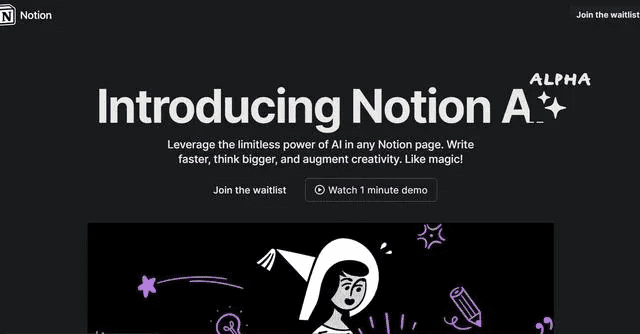
Notion AI represents a different approach by embedding AI capabilities directly within a productivity and documentation platform. If you already use Notion for note-taking, project management, or knowledge bases, Notion AI provides seamless writing assistance without switching tools. The integration feels natural, allowing you to generate, edit, and refine content within your existing workflow.
For teams managing content calendars, documentation, or collaborative writing projects in Notion, the AI assistant significantly accelerates work. You can highlight any text and ask Notion AI to expand, summarize, improve, or translate it. The tool understands context from your Notion workspace, making suggestions more relevant to your specific projects.
In my consultancy, I use Notion AI primarily for meeting notes, project documentation, and content planning rather than final content creation. Its strength lies in organizing thoughts, creating outlines, and refining existing content rather than generating polished, publication-ready articles from scratch.
Pricing: $10/month per user (added to Notion subscription)
Best For: Notion users, teams needing documentation assistance, project managers, collaborative writing environments
Key Features:
- Seamless integration within Notion workspace
- Context-aware suggestions based on workspace content
- Content generation, summarization, and editing
- Translation capabilities
- Custom AI blocks for repeated tasks
- Team collaboration features
Pros:
- Perfect integration with existing Notion workflows
- Affordable pricing for existing Notion users
- Context awareness improves relevance
- Good for documentation and internal content
- Team-friendly with collaborative features
Cons:
- Requires a Notion subscription and familiarity
- Less powerful than standalone AI writing tools
- Limited templates and specialized features
- Not ideal for marketing or SEO-focused content
11. QuillBot
In a nutshell: A specialized paraphrasing and rewriting tool using AI to improve clarity, coherence, and originality of existing content.
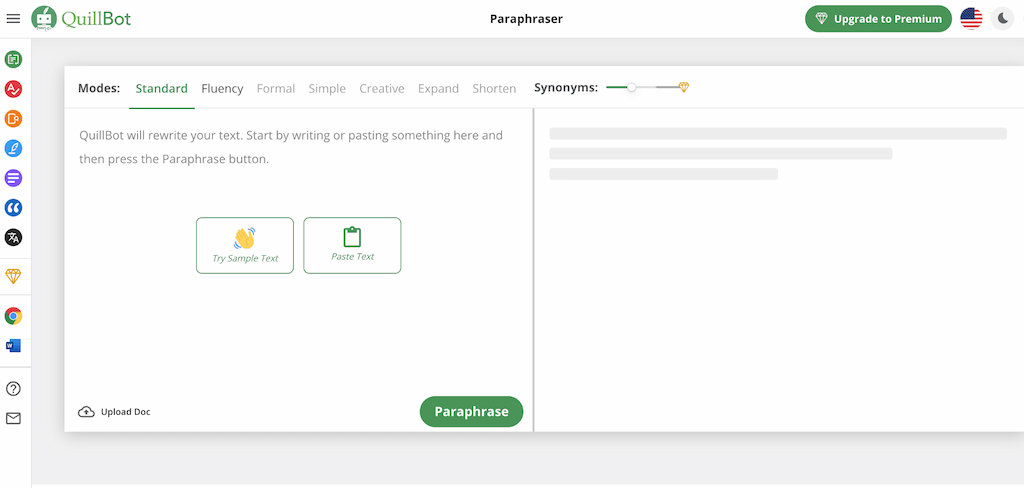
QuillBot serves a different purpose than most tools on this list. Rather than generating new content from scratch, it excels at paraphrasing and rewriting existing text. This makes it invaluable for academic writing, avoiding plagiarism, simplifying complex content, or finding alternative ways to express ideas. The tool offers multiple rewriting modes including fluency, standard, creative, and formal.
I frequently use QuillBot when repurposing content across channels or when clients need to rewrite product descriptions for multiple variations. The summarizer feature condenses long articles into key points, saving research time. The grammar checker catches errors other tools miss, making it a good complement to primary writing tools.
The Chrome extension and integration with Google Docs and Microsoft Word make QuillBot accessible within your existing workflow. For students, researchers, and writers needing to paraphrase sources or improve existing drafts rather than generate new content, QuillBot fills a specific niche effectively.
Pricing: Free (limited), Premium $8.33/month annually
Best For: Academic writing, content repurposing, paraphrasing, students, researchers
Key Features:
- Seven paraphrasing modes (fluency, formal, creative, etc.)
- Summarizer for condensing long text
- Grammar and spell checker
- Plagiarism checker (premium)
- Citation generator
- Chrome extension and MS Word integration
Pros:
- Excellent paraphrasing capabilities
- Multiple rewriting modes for different contexts
- Affordable premium pricing
- Good integration options
- Useful free tier
Cons:
- Not designed for generating new content from scratch
- Free tier has significant limitations
- Paraphrasing can sometimes change intended meaning
- Less useful for creative writing
12. Compose.ai
In a nutshell: A Chrome extension providing AI-powered autocomplete and writing assistance across all websites and applications.

Compose.ai takes a unique approach by offering AI writing assistance everywhere you type rather than in a dedicated application. The Chrome extension provides autocomplete suggestions as you write emails, social media posts, documents, or any text field in your browser. This universal approach means you get AI assistance without changing your workflow or switching applications.
The autocomplete feature learns your writing style over time, making suggestions increasingly personalized. For repetitive writing tasks like email responses, Compose.ai can save significant time by predicting and completing common phrases. The premium version includes template support, allowing you to create reusable snippets for frequently written content.
What makes Compose.ai particularly valuable is its lightweight, unobtrusive nature. Unlike tools requiring separate interfaces, Compose.ai simply enhances your existing writing process with suggestions you can accept or ignore. For busy professionals writing across many platforms, this universal assistance proves remarkably useful.
Pricing: Free (basic autocomplete), Premium $12.99/month
Best For: Email writing, social media management, professionals writing across multiple platforms
Key Features:
- Universal autocomplete across all websites
- Personalized writing suggestions based on your style
- Email reply suggestions
- Template and snippet management
- Rephrase and rewrite functions
- Works in any text field or application
Pros:
- Works everywhere without switching tools
- Learns your personal writing style
- Generous free tier
- Unobtrusive and easy to use
- Saves time on repetitive writing
Cons:
- Limited to shorter-form content
- Not suitable for long-form content creation
- Suggestions can sometimes feel generic
- Requires Chrome or Edge browser
13. Copy.ai
In a nutshell: A comprehensive AI writing platform with 90+ templates designed specifically for marketing copy, social media, and sales content.
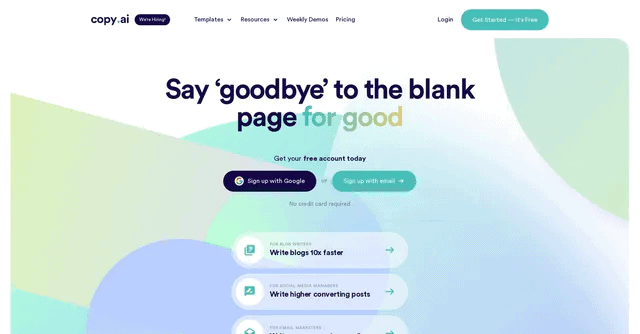
Copy.ai has positioned itself as the go-to tool for marketers and sales professionals needing high-converting copy across multiple channels. With over 90 templates covering everything from social media posts to product descriptions to email sequences, Copy.ai accelerates the copywriting process significantly. The platform uses GPT-4 technology combined with copywriting frameworks like AIDA and PAS.
What distinguishes Copy.ai is the Workflows feature, allowing you to create multi-step content generation processes. For example, you can set up a workflow that takes a product description, generates social media posts, creates ad copy variations, and drafts email sequences all in sequence. This automation makes Copy.ai particularly valuable for agencies managing multiple clients.
In testing with an e-commerce client, Copy.ai reduced the time to create product description variations from 30 minutes to under 5 minutes per product. The quality requires minimal editing, and the ability to generate multiple variations facilitates A/B testing. The social media content templates work particularly well for platforms like Instagram, Facebook, and LinkedIn.
Pricing: Free (2,000 words/month), Pro $49/month, Team $249/month, Enterprise custom
G2 Rating: 4.8/5 from 1,500+ reviews
Best For: Marketing professionals, e-commerce, social media managers and influencers, and agencies
Key Features:
- 90+ templates for various content types
- Workflows for automated content generation sequences
- Team collaboration and brand voice
- Chrome extension
- Integration with popular marketing tools
- Long-form document editor
- Multiple language support
Pros:
- Extensive template library
- Workflow automation saves significant time
- Strong focus on marketing and sales copy
- Good team collaboration features
- Generous free tier for testing
Cons:
- Template-based approach can feel limiting
- Requires copywriting knowledge to get best results
- Free tier has restrictive word limits
- Some templates produce generic output
14. SEOwind.io
SEOwind.io is an AI-powered content creation and SEO optimization platform designed to help marketers and content creators produce comprehensive, search-engine-optimized articles at scale.
The tool combines artificial intelligence with SEO best practices to streamline the content creation process from research to publication.
Also, there is a quite unique dedicated feature for smart, quick, and automated updating of your old published articles, blogs, and pages that I personally use a lot in this blog. What used to take me a full day to do manually, in order to keep the articles fresh and up-to-date, now takes about 10 minutes.
Key Features:
- AI Content Brief Generator: Automatically creates detailed content outlines based on top-ranking competitors and keyword research
- AI Writer: Generates long-form, SEO-optimized content with proper structure and keyword integration
- SERP Analysis: Analyzes top-ranking pages to identify content gaps and opportunities
- Keyword Research: Provides comprehensive keyword suggestions and search intent analysis
- Content Optimization: Offers real-time suggestions for improving content quality and SEO performance
- Outline Builder: Creates structured content outlines based on competitor analysis and user intent
- CMS Integration: Connects with popular content management systems for seamless publishing
Pros
- Comprehensive end-to-end content creation workflow
- Strong focus on data-driven SEO optimization
- Time-saving automation for content research and brief creation
- Quality AI-generated content that requires minimal editing
- Intuitive interface with clear workflow guidance
Cons
- Higher price point compared to basic AI writing tools
- Learning curve for utilizing all advanced features
- Limited customization options for AI writing style
- May require manual fact-checking for technical topics
Pricing
SEOwind.io offers 4 tiered pricing plans, starting at $49/month for individual content creators (Basic), $99/month for Professional, and $199/month for team plans with unlimited users.
Best For: SEOwind.io is ideal for content marketing teams, SEO agencies, bloggers, and businesses that need to produce high-quality, search-optimized content consistently. It’s particularly valuable for those who want to combine AI efficiency with strategic SEO planning.
15. Rytr
In a nutshell: An affordable AI writing assistant with 40+ use cases and 30+ languages, offering excellent value for individuals and small businesses.
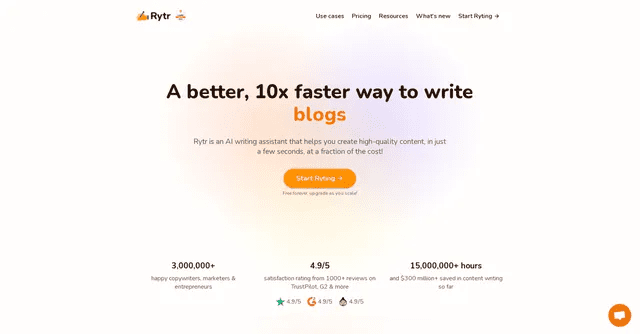
Rytr stands out as one of the most affordable AI writing tools without sacrificing quality. At just $9 per month for the unlimited plan, it provides remarkable value for freelance writers, small businesses, and individuals needing consistent content creation capabilities. The platform offers 40+ use cases covering blog writing, email copy, social media posts, and more.
The tone selection feature allows you to generate content in 20+ different tones ranging from casual and friendly to professional and formal. This versatility makes Rytr suitable for diverse writing needs. I recommend Rytr to clients just starting with AI writing tools who want to test capabilities without significant financial commitment.
While Rytr doesn’t offer the advanced features of premium tools like Jasper, it handles fundamental content creation tasks effectively. The Chrome extension provides writing assistance across platforms, and the plagiarism checker (on paid plans) ensures content originality. For solopreneurs and small business owners, Rytr represents an excellent entry point into AI writing.
Pricing: Free (10k characters/month), Saver $9/month, Unlimited $29/month
G2 Rating: 4.7/5 from 800+ reviews
Best For: Freelancers, small businesses, individuals on a budget, content creators starting with AI tools
Key Features:
- 40+ use cases and templates
- 30+ languages
- 20+ tone options
- Plagiarism checker (paid plans)
- Chrome extension
- Built-in SEO analyzer
- Image generation with DALL-E
Pros:
- Extremely affordable pricing
- Generous free tier (10k characters)
- Wide variety of use cases and tones
- Multi-language support
- Good for beginners
- Chrome extension for convenience
Cons:
- Less sophisticated than premium alternatives
- Output quality varies by use case
- Limited long-form content capabilities on free/Saver plans
- Fewer advanced features and integrations
16. Writesonic
In a nutshell: An AI content platform combining writing tools with an AI article writer, paraphrasing, and Chatsonic (an AI chatbot with web search).
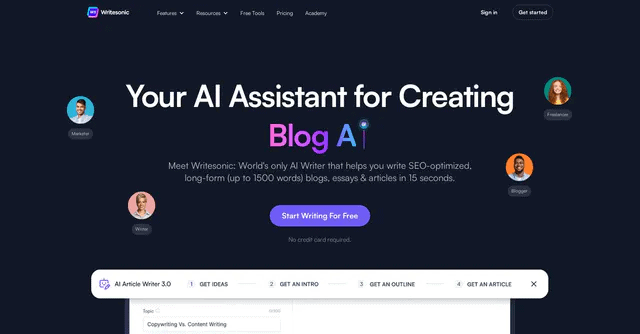
Writesonic has evolved into a comprehensive AI writing platform offering multiple products under one subscription. Beyond the core writing tool with 100+ templates, Writesonic includes Chatsonic (a ChatGPT alternative with web search), Photosonic (AI image generation), and Audiosonic (AI voice generation). This suite approach provides more value than competing single-purpose tools.
Chatsonic deserves special attention. Unlike ChatGPT’s free tier, Chatsonic includes web search by default, allowing it to provide current information and cite sources. The voice command feature lets you dictate prompts, and the image generation integration means you can create supporting visuals without leaving the platform. These features make Writesonic particularly valuable for content creators needing text, images, and research in one place.
The Article Writer feature can generate long-form blog posts up to 1,500 words based on keywords and talking points. While the output requires editing, it provides a solid foundation significantly faster than writing from scratch. The plagiarism checker and SEO optimization features make it a complete content creation solution.
Pricing: Free trial, Unlimited $16/month, Business $33/month, Enterprise custom
Best For: Content marketers, bloggers, agencies needing multiple content types
Key Features:
- 100+ writing templates and use cases
- Chatsonic chatbot with web search and voice commands
- Photosonic AI image generation
- Long-form article writer up to 1,500+ words
- Plagiarism checker
- SEO optimization features
- Chrome extension
- API access
Pros:
- Comprehensive platform with writing, chat, images, and voice
- Chatsonic provides current information via web search
- Competitive pricing with generous word limits
- Good for multiple content formats
- API access for integration
Cons:
- The interface can feel cluttered with multiple products
- Long-form content quality varies
- Learning curve to use all features effectively
- Customer support response times vary
17. ContentBot.ai
In a nutshell: An AI content automation platform focused on blog posts and long-form content with built-in SEO optimization and WordPress integration.

ContentBot.ai specializes in blog content creation and automation, making it ideal for publishers and bloggers needing consistent output. The platform can generate blog post outlines, introductions, body paragraphs, and conclusions with minimal input. The Blog Content Flow feature guides you through the content creation process step-by-step, ensuring comprehensive topic coverage.
What makes ContentBot.ai notable is its focus on the complete blog post creation workflow rather than just text generation. The platform includes keyword research, competitor analysis, and outline generation based on top-ranking content. This structured approach helps ensure content meets search intent and covers topics comprehensively.
The WordPress automation feature allows you to schedule and publish content directly to your WordPress site, complete with images and formatting. For publishers managing multiple blogs or niche sites, this automation significantly reduces manual work. Content flows can be customized to match your preferred writing style and structure.
Pricing: Prepaid $1 per 1,000 words, Starter $29/month, Premium $59/month, Premium+ $99/month
Best For: Bloggers, niche site owners, content publishers, WordPress users
Key Features:
- Automated blog post generation with flows
- SEO keyword research and optimization
- WordPress direct publishing and automation
- Content brief and outline creation
- Plagiarism detection
- Team collaboration features
- Chrome extension
Pros:
- Structured approach to blog content creation
- Direct WordPress integration and automation
- SEO-focused features
- Prepaid option avoids subscription commitment
- Good for content volume
Cons:
- Primarily focused on blog posts
- Interface is less polished than competitors
- Output requires editing for quality
- Limited use cases beyond blogging
18. Frase
In a nutshell: An AI-powered SEO content research and optimization platform combining content briefs, writing assistance, and competitor analysis.
Frase approaches SEO content creation by combining research, writing, and optimization in a single workflow. The platform analyzes top-ranking content for your target keywords, identifies common topics and questions, and creates comprehensive content briefs. This research-first approach ensures content covers all necessary angles before you start writing.
What distinguishes Frase is the SERP research panel displaying alongside your content editor. As you write, you can reference what competitors cover, what questions they answer, and what topics they emphasize. This constant reference point helps ensure comprehensive coverage while identifying opportunities competitors miss. In SEO projects, I use Frase for content gap analysis, ensuring articles cover all relevant subtopics.
The AI writing features include templates for introductions, conclusions, headings, and full paragraphs. While the writing quality doesn’t match GPT-4-based tools, the SEO-informed suggestions help create content specifically structured for ranking. The tool also includes answer generation for FAQ sections, pulling information from featured snippets and People Also Ask boxes.
Pricing: Basic $15/month (1 user), Team $45/month (3 users), Enterprise custom
Best For: SEO content creators, agencies, bloggers focused on organic traffic
Key Features:
- Automated content brief generation from SERP analysis
- SERP research panel for competitor insights
- AI-powered writing assistance with SEO optimization
- Question research and FAQ generation
- Content optimization scoring
- Outline builder from top-ranking content
- Integrations with WordPress and Google Docs
Pros:
- Research-driven approach ensures comprehensive content
- Strong SEO focus with competitor analysis
- Affordable pricing compared to Surfer SEO
- Good content brief generation
- Helpful for identifying content gaps
Cons:
- Writing quality below premium tools
- Interface learning curve
- Limited creative writing capabilities
- Best suited for informational content
19. MarketMuse
In a nutshell: An enterprise-grade AI content intelligence platform providing deep topic research, content gap analysis, and optimization at scale.
MarketMuse represents the premium tier of AI content optimization tools, designed for large publishers, enterprises, and agencies managing hundreds or thousands of pages. The platform uses AI to analyze entire content inventories, identifying opportunities, gaps, and prioritization strategies. While expensive, MarketMuse provides unmatched depth for content strategy and planning.
The Content Brief feature analyzes not just top-ranking competitors but the entire topic landscape, identifying related subtopics, questions, and concepts that comprehensive content should cover. This creates content briefs that guide writers toward truly authoritative, in-depth articles. The Inventory Heatmap visualizes your content coverage across topics, showing strengths and gaps in your content marketing strategy.
In consulting engagements with enterprise clients, MarketMuse proves invaluable for content audits and strategy development. ROI analysis features help prioritize content updates and new creation based on search volume, competition, and existing performance. For smaller publishers or individual creators, the pricing may be prohibitive, but for organizations with significant content operations, MarketMuse pays for itself through improved strategic focus.
Pricing: Free (10 queries/month), Standard $149/month, Team $399/month, Enterprise custom
Best For: Enterprise content teams, large publishers, agencies, comprehensive content strategy
Key Features:
- AI-powered topic research and modeling
- Content inventory analysis and optimization
- Competitive content intelligence
- Personalized difficulty scoring for topics
- Content brief generation with depth scoring
- Questions and subtopic identification
- Content decay monitoring
- Team collaboration and workflow management
Pros:
- Most comprehensive content intelligence platform
- Excellent for content strategy and planning
- Personalized difficulty and opportunity scoring
- Scales well for large content operations
- Strong competitive analysis capabilities
Cons:
- Requires content strategy expertise to maximize value
- Expensive pricing, not suitable for individuals or small businesses
- Steeper learning curve than simpler tools
- Overkill for straightforward content creation
20. ShortlyAI
In a nutshell: An AI-powered writing assistant that helps writers generate content quickly and easily.

ShortlyAI is a content-writing AI app that uses GPT-3 to assist in generating content. It has an easy-to-use interface that allows users to input prompts and receive quick and accurate responses.
Key Features:
- Simplified user interface
- Fast response times
- Integration with Google Docs and WordPress
Pros:
- Easy to use for beginners
- Accurate responses
- Good integration options
Cons:
- Limited customization options
- Monthly subscription cost
21. Hugging Face
In a nutshell: An open-source AI platform providing access to thousands of pre-trained models, including language models for text generation and specialized NLP tasks.
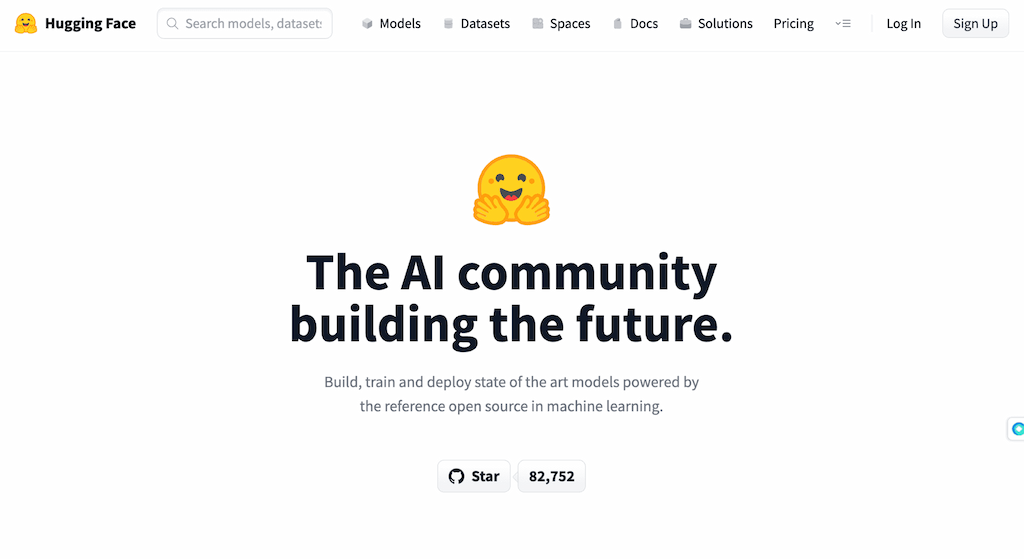
Hugging Face differs fundamentally from other tools on this list. Rather than providing a polished, consumer-ready application, Hugging Face offers an open-source platform hosting thousands of AI models that developers and technical users can access and implement. This makes it less suitable for casual users but incredibly powerful for those with technical expertise wanting to customize AI writing solutions.
The platform hosts models ranging from GPT-style language generators to specialized models for summarization, translation, sentiment analysis, and more. Developers can fine-tune these models on custom data, creating highly specialized AI writing tools tailored to specific industries or use cases. Several commercial AI writing tools actually use Hugging Face models under the hood.
For technical content creators, researchers, or businesses with development resources, Hugging Face enables building custom AI writing solutions. The Inference API allows you to call models programmatically, integrating AI capabilities into existing applications. While this requires programming knowledge, it provides flexibility and customization impossible with commercial tools.
Pricing: Free (community access), Pro $9/month, Enterprise $20/month per user
Best For: Developers, researchers, businesses building custom AI solutions, technical users
Key Features:
- Access to 120,000+ pre-trained AI models
- Open-source model hosting and sharing
- Inference API for programmatic access
- Model fine-tuning capabilities
- Spaces for hosting ML demos and applications
- Dataset hosting and versioning
- Integration with PyTorch and TensorFlow
Pros:
- Massive selection of specialized models
- Open-source and customizable
- Strong community and ecosystem
- Free access to many models
- Enables custom AI solutions
Cons:
- Requires technical expertise to use effectively
- Not suitable for non-technical users
- No polished user interface for content creation
- Support and documentation vary by model
22. Copysmith
In a nutshell: An AI copywriting platform focused on e-commerce and product descriptions, with features optimized for online retail businesses.

Copysmith specializes in e-commerce content creation, making it ideal for online retailers needing product descriptions, category pages, and marketing copy at scale. The platform integrates with Shopify, WooCommerce, and other e-commerce platforms, allowing bulk product description generation directly within your store management interface.
The bulk content generation feature sets Copysmith apart. You can upload product catalogs via CSV, and Copysmith generates unique descriptions for hundreds or thousands of products simultaneously. For e-commerce businesses with large inventories, this automation potentially saves weeks of manual writing. In a project for a fashion retailer with thousand SKUs, Copysmith can reduce description writing time from months to days.
Beyond product descriptions, Copysmith offers templates for Google Ads, Facebook Ads, landing pages, and email campaigns. Brand voice training ensures consistency across all generated content. The Chrome extension allows you to generate copy while browsing competitor sites or managing your store, improving workflow efficiency.
Pricing: Starter $19/month, Professional $59/month, Enterprise custom
Best For: E-commerce businesses, online retailers, Shopify store owners
Key Features:
- Bulk product description generation
- E-commerce platform integration (Shopify, WooCommerce, Frase)
- Brand voice customization
- Ad copy templates for multiple platforms
- Chrome extension
- CSV import for bulk operations
- Team collaboration features
Pros:
- Excellent for e-commerce and product descriptions
- Bulk generation saves massive time for large catalogs
- Strong platform integrations
- Good value for e-commerce businesses
- Brand voice training improves consistency
Cons:
- Limited usefulness outside e-commerce context
- Product description quality varies
- Requires editing for unique or luxury products
- Smaller template library than general-purpose tools
23. SEO.ai
In a nutshell: An AI writing tool specifically designed for creating SEO-optimized content with built-in keyword research and on-page optimization features.

SEO.ai combines AI content generation with comprehensive SEO tools in a single platform. The tool analyzes search intent, identifies target keywords, and generates content specifically optimized for search engine rankings. This SEO-first approach makes it particularly valuable for businesses focused on organic traffic growth.
The platform includes keyword research tools that identify high-opportunity keywords based on search volume, competition, and relevance. As you write, SEO.ai provides real-time optimization suggestions ensuring appropriate keyword density, semantic keyword usage, and proper content structure. The SERP analysis feature shows exactly what top-ranking competitors cover, helping you create more comprehensive content.
What distinguishes SEO.ai is its focus on search intent matching. The tool analyzes whether searchers want informational, commercial, or transactional content and adjusts writing suggestions accordingly. This intent alignment improves both rankings and conversion rates. For SEO-focused content optimization, SEO.ai provides a good balance of writing assistance and optimization features at a reasonable price point.
Pricing: Basic $49/month, Plus $99/month, Enterprise custom
Best For: SEO content creators, digital marketers, businesses focused on organic traffic
Key Features:
- AI content generation with SEO optimization
- Built-in keyword research and analysis
- Search intent matching
- SERP competitor analysis
- Real-time content optimization scoring
- Internal linking suggestions
- Meta description generation
- Multiple language support
Pros:
- Strong focus on SEO optimization
- Combines writing and keyword research
- Search intent analysis improves relevance
- Good value compared to premium SEO tools
- Generates SEO-optimized meta descriptions
Cons:
- Less sophisticated writing than pure AI tools
- Interface feels less polished than competitors
- Limited creative writing capabilities
- Primarily useful for informational content
24. Genei
In a nutshell: An AI-powered research and writing assistant that summarizes articles, extracts key information, and helps organize research for academic and professional writing.

Genei targets researchers, students, and professionals needing to process large volumes of documents and articles efficiently. The tool can summarize PDFs, web pages, and documents, extract key concepts, and organize information into a searchable knowledge base. This research-first approach makes it valuable for academic writing and in-depth content requiring extensive source material.
The document summarization feature can condense lengthy research papers, reports, and articles into digestible summaries highlighting main points and key findings. The AI identifies important concepts, methodologies, and conclusions, allowing you to quickly assess whether a source merits deeper reading. For literature reviews or research-heavy content, this dramatically accelerates the research phase.
Note-taking and organization features help structure research findings into coherent outlines. You can tag and categorize sources, highlight key passages, and generate citations. While Genei doesn’t replace dedicated writing tools for creating final content, it excels at the research and planning stages that precede writing.
Pricing: Basic $3.99/month, Pro $15.99/month
Best For: Researchers, students, academic writers, journalists
Key Features:
- AI-powered document summarization
- PDF and web page summarization
- Automatic keyword and concept extraction
- Research repository and organization
- Citation management
- Chrome extension for saving and summarizing web pages
- Question answering from documents
- Export capabilities to various formats
Pros:
- Excellent for research-heavy writing
- Dramatically accelerates literature review
- Good value for students and researchers
- Helps organize and structure research
- Chrome extension for easy source collection
Cons:
- Not a primary content writing tool
- Limited text generation capabilities
- Primarily useful for research phase
- Academic focus may not suit all users
25. ProWritingAid
In a nutshell: A comprehensive writing editor using AI to check grammar, style, readability, and writing quality with in-depth reports and suggestions.
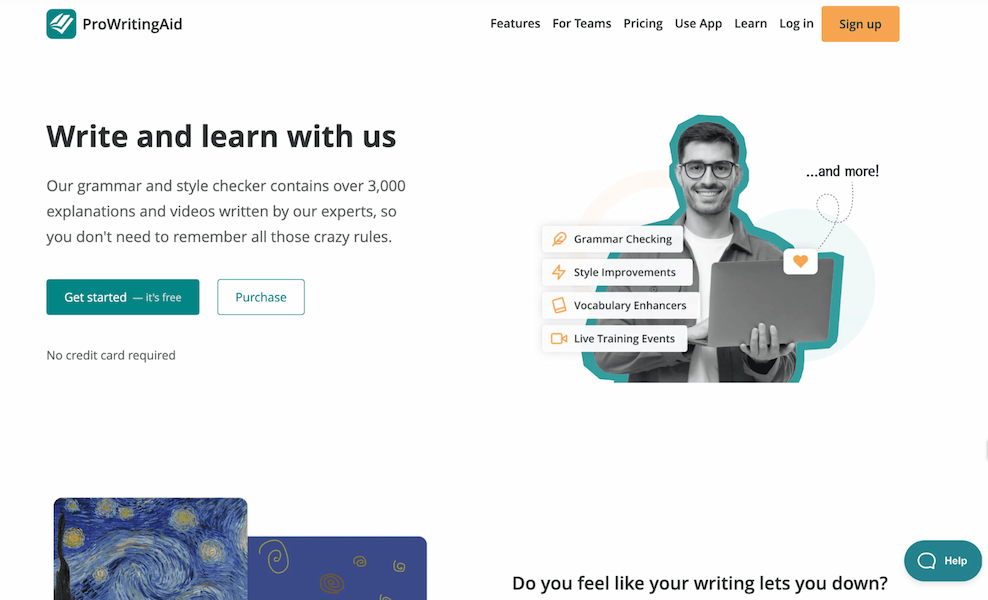
ProWritingAid functions more as an editing and refinement tool than a content generation platform. It analyzes existing text for grammar errors, style issues, readability problems, repetition, pacing, and more, providing detailed reports with specific improvement suggestions. For writers prioritizing quality and polish over speed, ProWritingAid proves invaluable.
What sets ProWritingAid apart from simple grammar checkers is the depth of analysis. The tool provides over 20 different reports covering aspects like sentence structure variation, overused words, passive voice usage, dialogue tags, and transition strength. This comprehensive feedback helps writers identify patterns and improve their skills over time rather than just fixing individual errors.
I use ProWritingAid in the editing phase of content creation, after generating initial drafts with ChatGPT or Jasper. The combination of fast generation followed by thorough editing produces high-quality content efficiently. Integration with Word, Google Docs, Scrivener, and other writing software makes ProWritingAid accessible within your existing workflow.
Pricing: Free (500 word limit), Premium $30/month or $120/year, Premium Plus $40/month or $180/year
Best For: Fiction writers, editors, content creators focused on quality, professional writers
Key Features:
- Grammar and spelling checking
- 20+ detailed writing reports (style, readability, dialogue, pacing, etc.)
- Plagiarism checker (Premium Plus)
- Integration with Word, Google Docs, Scrivener, Final Draft
- Contextual thesaurus
- Writing goals and tracking
- Style guide customization
- In-depth writing tutorials
Pros:
- Most comprehensive editing tool available
- Helps improve writing skills over time
- Excellent integration options
- Good for both fiction and nonfiction
- Detailed reports provide actionable feedback
Cons:
- Does not generate new content
- Can be overwhelming for beginners
- Interface feels less modern than competitors
- Annual subscription required for best value
26. AI Writer
In a nutshell: A text generation platform creating articles based on headlines, with built-in citation and source verification features.

AI Writer takes a distinctive approach by focusing on factual accuracy and source citation. Unlike tools that generate content purely from training data, AI Writer searches the web for relevant sources and incorporates cited information into generated articles. This makes it particularly valuable for news commentary, research summaries, and factual content where accuracy matters.
The tool generates articles from just a headline or topic, producing full drafts complete with citations and source links. The SEO-focused editor helps optimize content for target keywords while maintaining readability. The text rewording feature allows you to paraphrase existing content while maintaining meaning, useful for avoiding plagiarism or creating variations.
What makes AI Writer notable is its focus on verifiable information. Each generated article includes sources you can verify, improving trustworthiness compared to pure generative approaches. However, the writing style tends toward formal and informational, making it less suitable for creative or conversational content.
Pricing: Basic $29/month, Standard $59/month, Power $375/month
Best For: Fact-based content, news summaries, research articles, informational writing
Key Features:
- Article generation with automatic citations
- Source verification and linking
- SEO editor with optimization suggestions
- Text rewording and paraphrasing
- Sub-topic discoverer for comprehensive coverage
- Plagiarism checker
- WordPress integration
- API access
Pros:
- Focuses on factual accuracy with sources
- Automatic citation saves research time
- Good for informational content
- SEO optimization features
- Verifiable information improves trust
Cons:
- Writing style tends toward formal and dry
- Not suitable for creative or persuasive writing
- Higher pricing than alternatives
- Interface less intuitive than competitors
27. Scalenut
In a nutshell: An AI-powered SEO and content marketing platform combining keyword research, content planning, writing, and optimization in one tool.

Scalenut attempts to provide an end-to-end content marketing solution from keyword research through final content creation. The platform analyzes entire topic clusters, identifies content opportunities, and guides you through creating comprehensive, SEO-optimized content. This holistic approach makes it suitable for businesses building topical authority.
The Cruise Mode feature automates much of the content creation process, generating complete blog posts from just keywords. The tool researches top-ranking content, identifies key terms and questions, creates an outline, and writes complete articles. While the output requires editing, it provides a strong foundation aligned with SEO best practices.
The Content Optimizer provides real-time scoring similar to Surfer SEO, showing how your content compares to top-ranking competitors. NLP-powered suggestions help identify semantic keywords and related terms that comprehensive content should include. For small businesses and marketers without dedicated SEO teams, Scalenut provides accessible SEO guidance integrated with content creation.
Pricing: Essential $39/month, Growth $79/month, Pro $149/month, Enterprise custom
Best For: Small business owners, content marketers, bloggers, SEO-focused content teams
Key Features:
- Keyword research and topic clustering
- Automated content creation with Cruise Mode
- SEO content optimization and scoring
- Competitor analysis
- Content brief generation
- NLP-powered semantic keyword suggestions
- Internal linking recommendations
- Team collaboration features
Pros:
- Comprehensive platform for keyword research through content creation
- Cruise Mode accelerates content production
- Good balance of features and price
- Helpful for those learning SEO
- Regular feature updates
Cons:
- Content quality below premium tools
- Interface can feel overwhelming
- Cruise Mode output requires substantial editing
- Customer support response times vary
28. Phrasee
In a nutshell: An AI platform specializing in email subject lines, push notifications, and marketing language optimization through testing and machine learning.
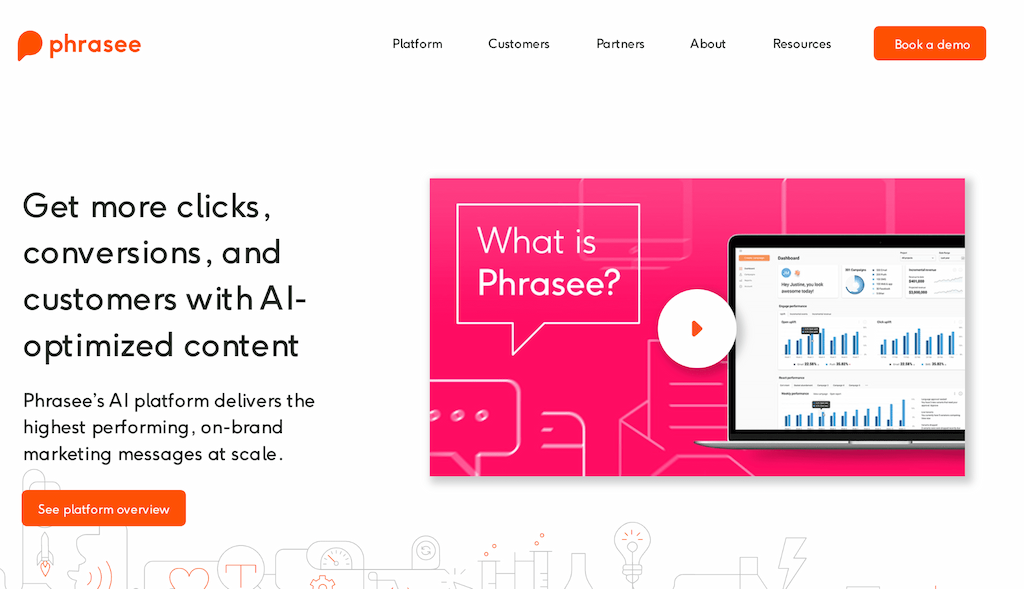
Phrasee occupies a specialized niche, focusing specifically on optimizing marketing language for email subject lines, push notifications, SMS messages, and social media posts. Rather than simply generating copy, Phrasee uses machine learning to test variations and continuously improve performance based on actual campaign results.
What makes Phrasee unique is its scientific approach to language optimization. The platform generates multiple variations of marketing messages, tests them with your audience, and learns which language patterns drive the highest open rates, click rates, and conversions. This data-driven approach consistently outperforms traditional copywriting or simple AI generation.
Phrasee integrates with major email marketing platforms like Salesforce, Marketo, and Oracle, allowing automated subject line optimization at scale. For enterprise marketing teams sending millions of emails, incremental improvements in open rates from optimized subject lines generate significant ROI. However, individual creators or small businesses may find the enterprise focus and custom pricing prohibitive.
Pricing: Custom enterprise pricing
Best For: Enterprise marketing teams, brands with high email volumes, performance-focused marketers
Key Features:
- AI-generated email subject line variations
- Push notification and SMS optimization
- Social media copy optimization
- A/B testing automation
- Performance learning and optimization
- Brand language model training
- Integration with major marketing platforms
- Real-time language generation API
Pros:
- Data-driven approach proves ROI
- Continuous learning improves performance
- Excellent for high-volume email marketing
- Strong integration with enterprise platforms
- Specialized focus delivers results
Cons:
- Enterprise pricing unsuitable for small businesses
- Requires high email volumes to maximize value
- Limited to marketing copy optimization
- No self-service plans or transparent pricing
29. Merlin AI
In a nutshell: A Chrome extension powered by ChatGPT that provides AI assistance across all websites without requiring a separate login or tab switching.

Merlin AI takes a lightweight approach, providing ChatGPT capabilities as a Chrome extension that works on any website. Press Cmd+M (or Ctrl+M) and Merlin appears as an overlay, allowing you to summarize articles, rewrite text, generate responses, or ask questions without leaving your current page. This seamless integration makes AI assistance truly universal.
The extension includes shortcuts for common tasks like email replies, social media posts, and content summarization. You can highlight text on any webpage and instantly get AI suggestions for improvement, translation, or expansion. For users who work across multiple platforms and websites, Merlin eliminates the friction of constantly switching to dedicated AI tools.
Merlin supports multiple AI models, including GPT-4, Claude, and Gemini, allowing you to choose the best model for each task. The free tier provides generous usage, while paid plans offer unlimited access and priority support. This flexibility makes Merlin particularly valuable for users who want AI assistance without changing their existing workflow.
Pricing: Free (limited queries), Pro $15/month, Team custom pricing
Best For: Chrome users, multi-platform workers, casual AI users, productivity enthusiasts
Key Features:
- Chrome extension, working on any website
- Multiple AI model support (GPT-4, Claude, Gemini)
- Quick shortcuts for common tasks
- Text summarization and translation
- Email and social media assistance
- No separate login required
- Voice input support
Pros:
- Works universally across all websites
- Multiple AI model options
- Generous free tier
- No context switching required
- Simple keyboard shortcut activation
Cons:
- Chrome-only limitation
- Less powerful than dedicated writing tools
- Limited customization options
- Requires internet connection for all tasks
30. GrowthBar
In a nutshell: An SEO content tool combining keyword research, competitor analysis, and AI writing specifically designed for bloggers and content marketers.

GrowthBar targets bloggers and content marketers who need both SEO research and writing assistance in one platform. The tool combines keyword research, competitor analysis, backlink insights, and AI-powered content generation. This integrated approach appeals to solo content creators and small teams who don’t want to juggle multiple SEO tools.
The AI writing feature can generate blog outlines, introductions, and full articles based on target keywords and competitor analysis. While not as sophisticated as dedicated writing tools, the SEO context makes the output more targeted for ranking purposes. The Chrome extension provides SEO insights while browsing competitor sites, helping with research and content ideation.
GrowthBar’s strength lies in its simplicity and SEO focus rather than advanced writing capabilities. The keyword research identifies opportunities competitors miss, and the content suggestions align with search intent. For bloggers and small business owners who want SEO insights and basic AI writing in one affordable package, GrowthBar provides good value.
Pricing: Standard $48/month, Pro $99/month, Agency $199/month
Best For: Bloggers, small business owners, solo content creators, SEO beginners
Key Features:
- Keyword research and competitor analysis
- AI content generation with SEO optimization
- Backlink analysis and opportunities
- Chrome extension for competitive insights
- WordPress integration
- Team collaboration features
- SERP analysis
Pros:
- Combines SEO research with AI writing
- Affordable compared to enterprise tools
- Good for solo creators and small teams
- Chrome extension provides convenient insights
- WordPress integration streamlines workflow
Cons:
- Customer support responsiveness varies
- AI writing quality below dedicated tools
- Limited advanced features compared to specialized platforms
31. Wordtune
In a nutshell: An AI writing companion that helps rewrite, rephrase, and improve existing text with multiple suggestions and tone adjustments.

Wordtune focuses on improving and refining existing text rather than generating new content from scratch. The platform analyzes your writing and suggests alternative phrasings, tone adjustments, and clarity improvements. This makes it particularly valuable for non-native English speakers and writers looking to polish their drafts.
The rewrite suggestions maintain your original meaning while offering multiple alternatives ranging from casual to formal tones. The Chrome extension works across Gmail, Google Docs, LinkedIn, and other platforms, providing writing assistance wherever you type. The Spices feature adds statistics, examples, or counterarguments to strengthen your points.
Wordtune Read summarizes long articles and documents, extracting key points to save reading time. This research assistance complements the writing features, making Wordtune useful for both consuming and creating content. While not a primary content generation tool, Wordtune excels at the editing and refinement stage.
Pricing: Free (limited), Premium $24.99/month annually
Best For: Non-native English speakers, writers seeking style improvement, email communication, content refinement
Key Features:
- AI-powered text rewriting with multiple suggestions
- Tone adjustment from casual to formal
- Chrome extension for universal access
- Wordtune Read for document summarization
- Spices feature for adding supporting content
- Integration with Google Docs and Gmail
Pros:
- Excellent for improving existing text
- Multiple rewrite suggestions provide options
- Good for non-native English speakers
- Chrome extension works across platforms
- Helps maintain original meaning while improving clarity
Cons:
- Less useful for creative writing
- Not designed for generating new content
- Free tier has significant limitations
- Premium pricing is quite high for limited functionality
Try Wordtune
32. Text Blaze
In a nutshell: A text expansion and template tool that uses AI to create dynamic snippets and automate repetitive typing across all applications.

Text Blaze approaches productivity differently by focusing on text expansion and snippet automation rather than content generation. You can create dynamic templates for common emails, responses, forms, and documents that adapt based on context. This makes it valuable for customer service, sales teams, and anyone who types similar content repeatedly.
The AI features help create smart templates that can pull in dynamic information like dates, names, or custom variables. You can set up conditional logic so templates adapt based on different scenarios. The Chrome extension and desktop app work across all platforms, making your templates available everywhere you type.
While Text Blaze doesn’t generate long-form content like other tools on this list, it excels at automating routine communication. For teams handling customer support, sales outreach, or standardized responses, Text Blaze can save hours daily. The collaboration features allow teams to share template libraries and maintain consistency.
Pricing: Free (unlimited snippets), Pro $4/month, Business $8/month per user
Best For: Customer service teams, sales representatives, anyone with repetitive typing tasks
Key Features:
- Dynamic text snippets with AI-powered variables
- Cross-platform text expansion (Chrome, Windows, Mac)
- Template sharing and team collaboration
- Conditional logic for adaptive templates
- Form automation and data collection
- Analytics on snippet usage
- Integration with popular business tools
Pros:
- Excellent for automating repetitive tasks
- Very affordable pricing
- Works across all platforms and applications
- Dynamic templates adapt to context
- Strong team collaboration features
Cons:
- May not suit all writing workflows
- Not designed for content creation
- Limited to text expansion and templates
- Requires setup time to create effective snippets
Best Practices for Using AI Writing Tools
After implementing these tools across dozens of client projects, I’ve identified patterns that separate successful adoption from frustrating experiences.
Start with clear objectives: Define what you want to achieve before selecting tools. Are you looking to increase content volume, improve quality, save time on specific tasks, or reduce editing workload? Different tools excel at different objectives, and matching tools to goals improves satisfaction dramatically.
Master prompt engineering: The quality of AI output depends heavily on input quality. Be specific about tone, audience, length, and format. Instead of “write a blog post about marketing,” try “write a 1,500-word blog post for small business owners explaining email marketing benefits, using a conversational tone with actionable tips they can implement immediately.”
Use AI for ideation and drafts, humans for strategy and polish: AI excels at generating ideas, creating outlines, and producing first drafts. Humans excel at strategic thinking, brand voice, and final editing. This division of labor maximizes the strengths of both.
Implement fact-checking workflows: AI can generate convincing but incorrect information. Always verify statistics, claims, and technical details, especially for professional or educational content. Tools like Perplexity AI that provide citations make this easier but don’t eliminate the need for verification.
Develop brand voice consistency: If using AI for brand content, invest time in training the tool on your voice and style. Jasper and HyperWrite offer brand voice features, but even ChatGPT can learn your style with proper examples and feedback.
Create template libraries: For recurring content needs, develop prompt templates and examples. This ensures consistency and reduces the time spent crafting prompts from scratch. Share templates across teams to maintain quality standards.
Combine multiple tools strategically: Use Perplexity for research, ChatGPT or Jasper for generation, QuillBot for variation, ProWritingAid for editing, and Surfer SEO for optimization. Each tool’s strengths complement others’ weaknesses.
Monitor AI detection concerns: As platforms become more sophisticated at detecting AI content, maintain humanization practices. Use tools with built-in humanization features, vary your writing patterns, and add personal insights and experiences.
Limitations and Concerns with AI Writing Tools
Understanding limitations helps set realistic expectations and avoid common pitfalls in AI adoption.
Quality varies significantly by use case: AI tools excel at informational content, standard business communication, and templated copy. They struggle with nuanced arguments, industry-specific expertise, creative storytelling, and brand-specific voice without extensive training.
Factual accuracy remains problematic: AI can confidently state incorrect information, especially about recent events, technical details, or statistics. Always verify important claims through reliable sources, particularly for professional or educational content.
Ethical and legal considerations: Questions around copyright, attribution, and disclosure continue evolving. Some platforms require AI content disclosure. Academic institutions may have specific policies about AI use. Stay informed about relevant policies in your industry.
Over-reliance risks: Excessive dependence on AI can atrophy writing skills and creative thinking. Maintain regular human writing practice and use AI as enhancement rather than replacement.
Detection and penalties: Search engines and platforms are developing sophisticated AI detection capabilities. While not all AI content faces penalties, obviously generated content may be devalued. Focus on adding human insight and value.
Cost considerations for scale: While individual plans seem affordable, costs can escalate quickly for teams or high-volume users. Factor in training time, learning curves, and potential subscription to multiple tools.
Data privacy and security: Business-sensitive information shared with AI tools may be stored or used for training. Review privacy policies carefully and avoid sharing confidential information unless necessary.
2026 AI Writing Trends & Developments
Understanding current developments helps choose tools that’ll remain relevant. Here’s what’s shaping the industry this November.
Next-generation model capabilities: GPT-5 and Claude 4.5 Sonnet represent the current state-of-the-art, offering multimodal abilities that analyze images, understand visual context, and generate text from multimedia inputs. These models show dramatically improved reasoning compared to earlier versions. The quality gap between GPT-5 and GPT-3.5 has widened significantly, with GPT-5 content requiring 30-40% less editing in my testing.
Real-time information access: Current ChatGPT, Claude, and Perplexity versions feature web browsing capabilities, accessing up-to-date information rather than being limited to training data cutoffs. This makes them viable for news commentary, trend analysis, and content requiring current statistics. I now regularly use ChatGPT’s browsing for client work requiring latest industry data.
Detection and humanization evolution: As platforms develop sophisticated AI detection through tools like Originality.AI and GPTZero, counter-techniques for humanizing AI content have emerged. This creates an ongoing arms race between detection and evasion, raising important ethical questions about disclosure that responsible creators must navigate carefully.
Regulatory landscape shifts: The EU AI Act and emerging disclosure requirements are beginning to shape business AI usage. Some platforms now require content creators to disclose AI involvement, particularly for user-generated content and reviews. I advise clients to develop clear AI usage policies balancing efficiency with transparency.
Integration and automation expansion: AI agents and workflow automation continue accelerating. Tools now integrate with project management systems, content calendars, and publishing platforms, creating comprehensive content workflows. Real-time collaboration enables teams to work simultaneously on AI-generated content.
Quality differentiation becomes stark: Premium GPT-4-based tools justify 2-3x higher costs through reduced editing requirements and superior output quality. For professional content marketing, this quality difference proves worthwhile. However, GPT-3.5 tools remain perfectly adequate for personal use, social media, and initial drafts.
Multimodal capabilities spread: AI tools can now analyze images, understand visual context, and generate text from multimedia inputs. This enables use cases like automatic alt text generation, photo caption creation, and visual content descriptions. E-commerce product descriptions benefit particularly from this capability.

Bottom Line: Choosing Your AI Content Writing Stack
After testing 32 AI writing tools extensively, here’s my practical guidance for building your AI writing toolkit.
For most content creators: Start with ChatGPT Plus ($20) or HyperWrite Premium ($20, or $10 first month with our discount) as your primary tool. Add QuillBot Premium ($8) for paraphrasing and editing support. This combination handles 90% of content needs affordably.
For SEO-focused creators: Combine Surfer SEO ($89+), SEOwind ($49+), or Frase ($15+) with ChatGPT Plus or Claude for research-driven, well-written, optimized content. The SEO tools provide strategic direction while ChatGPT handles the actual writing. Check out our dedicated knowledge base on all the best SEO and LLM rank tracking optimization software tools for more information on that topic.
For marketing teams: Jasper ($49+) or Copy.ai ($49+) provide team collaboration features, brand voice consistency, and marketing-specific templates. Add Surfer SEO for technical SEO optimization. Check more versatile marketing software reviews here.
For budget-conscious users: Google Gemini (free), ChatGPT free tier, and Rytr ($9) provide substantial capability without breaking budgets. Upgrade selectively as needs grow.
For enterprise teams: Jasper Business, MarketMuse, or Custom ChatGPT implementations provide scalability, security, and customization for larger operations.
The AI writing landscape continues evolving rapidly. The tools I’ve recommended represent the best options available now, but new developments appear monthly. Focus on understanding your specific needs, testing thoroughly before committing, and remaining flexible as the technology advances.
Remember: AI writing tools are most powerful when they augment human creativity rather than replace it. The most successful content creators I work with use AI to handle routine tasks while focusing human effort on strategy, creativity, and adding unique value. This approach scales content operations while maintaining quality and authenticity.
Start with one or two tools, master their capabilities, then expand your toolkit based on specific needs and results. The investment in learning these tools pays dividends through increased productivity and improved content quality.
Frequently Asked Questions (FAQ)
Can AI writing tools replace human writers entirely?
No, AI tools work best as assistants rather than replacements. They excel at generating drafts, ideas, and handling routine content, but human oversight remains essential for strategy, brand voice, fact-checking, and creative direction.
Are AI-generated articles good for SEO?
Quality AI content can rank well if it provides value and meets search intent, regardless of who wrote it. However, Google’s guidelines emphasize helpful, people-first content regardless of how it’s produced. Focus on user value rather than just AI efficiency.
Which AI writing tool is best for beginners?
ChatGPT offers the most versatile free option with an intuitive interface. Rytr provides excellent value at $9/month with templates that guide beginners. HyperWrite offers a strong free tier with professional templates.
How can I avoid AI content detection?
Use tools with humanization features, add personal insights and experiences, vary sentence structure, include current examples, and edit generated content to match your natural writing style. However, focus on creating value rather than just avoiding detection.
What’s the difference between GPT-4 and GPT-5?
GPT-4 produces high-quality, accurate content with decent reasoning capabilities. However, GPT-5 is much more powerful and versatile – it’s known for its creative flair. Shines in crafting engaging narratives or articles. It’s prone to generating more creative, fluid writing, possibly with a touch of subjectivity. More adaptable, mimicking various writing styles depending on the prompt. Can be formal, informal, or even humorous.
Can I use AI tools for academic writing?
Policies vary by institution. Some allow AI for brainstorming and drafting with proper disclosure, while others prohibit it entirely. Always check your institution’s specific guidelines before using AI for academic work.
How do I train AI tools on my brand voice?
Provide examples of your best content, specify tone preferences, create style guides, and give feedback on AI outputs. Tools like Jasper and HyperWrite offer specific brand voice training features that learn from your examples.
Are there free AI writing tools worth using?
Yes, absolutely! ChatGPT’s free tier, Google Gemini, HyperWrite’s free plan, and Rytr’s free tier all provide genuine value. While limited compared to premium options, they’re excellent for testing AI capabilities and handling basic tasks.
Discover more from Best Software & Apps — Tested & Reviewed
Subscribe to get the latest posts sent to your email.