
Last Updated on April 13, 2026 by Denis Yankovsky
Images courtesy of Monday.com
Table of Contents
Key Takeaways
- The Monday AI work platform shows strong user satisfaction on review sites (G2 rating noted above) — double-check the latest numbers before publishing.
- Effective task and project tracking reduces missed deadlines and helps prevent team burnout.
- Choosing the right digital workspace is central to modern productivity and collaboration.
- This analysis evaluates Monday.com’s core features, pricing structure, and real-world use to guide your selection.
- We highlight recent AI updates (2024–2026) and how they influence workflows and automation.
We’ve all been there — endless email threads, sticky notes stuck to monitors, and the sinking feeling of a missed deadline. Over time we learned that a solid digital space for tasks and collaboration isn’t a nice-to-have; it’s essential.
Today we take a close look at Monday.com — a management platform many teams turn to for organizing project work, automating routine tasks, and keeping people aligned. It currently shows a 4.7 out of 5 stars rating on G2 from over 15,000 users (verify date of retrieval for the latest figure). This Monday.com review will help you decide whether the platform and its features are the right fit for your team.
In this review we’ll cover Monday.com’s strengths as a work operating system, walk through its core project management and automation features, and highlight the AI capabilities the company rolled out between 2024 and 2026. Read on to see how Monday.com compares to Asana, ClickUp, Airtable, Notion, and other popular tools — and which plan might make the most sense for your business.

The Evolution of Work Management Software in 2026
By 2026, work operating systems have moved well past simple task lists — they’re the connective tissue that helps teams plan, execute, and report work in one place. These platforms are built to replace a jumble of point tools so teams can focus on output, not context switching.
Modern work management platforms centralize management of projects, tasks, people, and data. Instead of hopping between spreadsheets, chat apps, and file drives, teams get a single platform that covers task management, collaboration, time tracking, and — increasingly — AI-driven insights and automation.
A work operating system is not just a tool; it’s a strategic framework that helps organizations operate more efficiently. It brings structure to workflows, gives leaders clearer visibility, and helps teams make faster decisions with less friction.
One big change in the last few years is the rise of integrated AI. From 2024 through 2026, vendors (including Monday.com) rolled out features like natural-language automation creation, AI-powered status summarization, predictive timelines, and smart workload balancing. Imagine your daily stand-up notes auto-generated from board changes, or the system suggesting which tasks to reassign when someone’s calendar fills up — that’s the practical side of this shift.
| Choosing the right work management software depends on how much customization you need, whether built-in AI and automations matter to your team, and how the platform integrates with your existing tools. In this review we’ll dive into those trade-offs so you can pick the platform that fits your needs. |
Comprehensive Monday.com Review: Is It Still the Market Leader?
Monday.com has been front and center as work operating systems have grown more capable — but is it still the right choice in 2026? To answer that, we look at what the platform does best, where it can be a better fit than alternatives, and which teams get the most value.
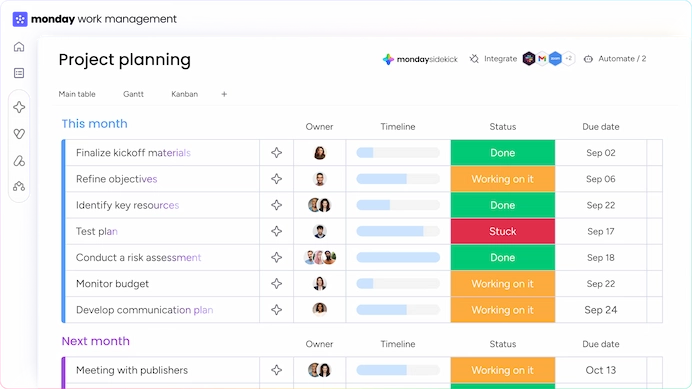
At its core, Monday.com is more than traditional project management software — it’s a flexible work OS that lets teams build custom workflows, manage projects and tasks, and tie together data from many sources. That adaptability helps it serve marketing teams, product groups, customer support, and enterprise operations alike.
Key Features and Benefits
Monday.com combines several capabilities into a single platform so organizations can reduce tool sprawl:
- Customizable workflows and boards that map to real business processes
- Visual project tracking and dashboards for clear status visibility
- Integrated AI features (rolled out in waves from 2024–2026) that help with template recommendations, predictive timelines, auto-assignment, and natural-language automation creation
Those post-2024 AI updates in particular have made Monday.com better at recommending automations and surfacing workload bottlenecks — practical changes that speed up setup and reduce manual management of tasks.
| If you value a polished interface and the ability to adapt boards to fit complex processes (including AI-assisted automations and template recommendations introduced between 2024 and 2026), multiple Monday.com reviews suggest is a perfect contender. If you need a simpler, more narrowly focused task manager, some competitors may be a lighter-weight fit. |
For a quick walkthrough video of core concepts and board views, see the resource linked below:
Bottom line: based on our in-depth review Monday.com remains a strong platform in 2026 — particularly for teams that need customization, depth of integrations, and the newer AI-driven features that speed up workflow creation and decision-making.
Core Features That Define the Monday.com Experience
Monday.com packs a set of core features designed to make work clearer, faster, and less manual. In practice that means fewer repetitive tasks, clearer status visibility, and more time for strategic work — especially once you layer in the AI updates the company shipped between 2024 and 2026.
Customizable Workflow Automation
Automation is one of Monday.com’s standout features. You can automate routine steps — status changes, reminders, dependency-based triggers, and cross-board updates — so the team spends less time on admin and more time on meaningful work.
Key benefits of workflow automation on Monday.com include:
- Reduced manual errors from repetitive copy/paste work
- Increased productivity by removing routine busywork
- Enhanced team collaboration through consistent, predictable processes
We’ve found the visual automation builder makes it easy to set up common automations in plain language (and since 2024 Monday.com added smarter suggestions that recommend automations based on your board patterns). Tip: start with a few simple automations (status updates, due-date reminders, and owner notifications) and iterate from there.
Visual Project Tracking and Dashboards
Clear, visual tracking is central to Monday.com’s appeal. Boards let you view tasks as lists, kanban, Gantt/timeline, or calendar items. Dashboards pull multiple boards together so managers can get a single-pane view of progress, bottlenecks, and key metrics.
The dashboards are customizable — you can add widgets for charts, workload views, timelines, and mirrored item summaries. For teams juggling many projects, those views make it much easier to spot delays or resource conflicts at a glance.
Practical example: you can create a dashboard that shows all in-flight projects, color-codes overdue items, and surfaces the top five tasks that need reassigning this week — a quick way to act without drilling into multiple boards.
Integrated AI Capabilities for Productivity
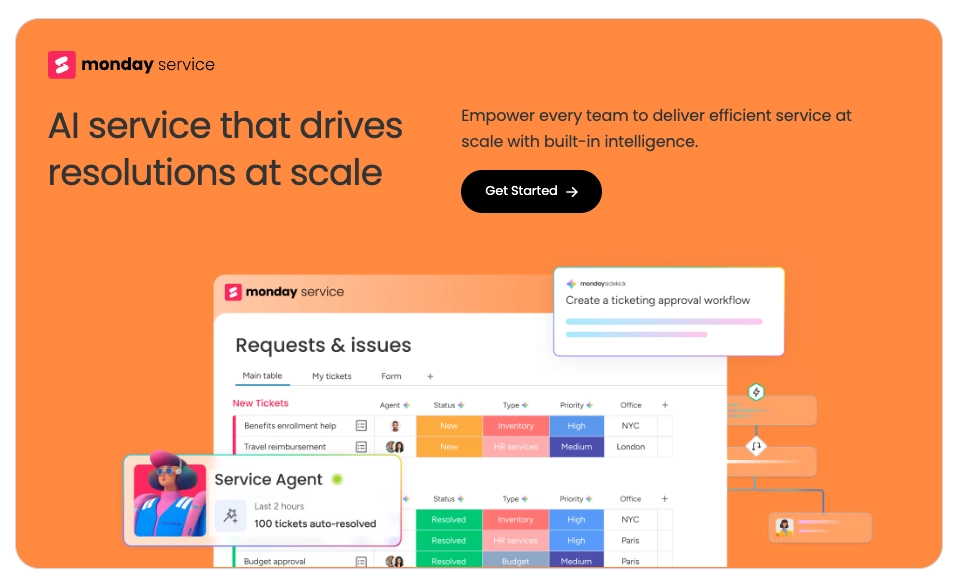
Monday.com’s AI features (released across 2024–2026) are built to reduce repetitive work and improve decision-making. The platform now offers capabilities such as natural-language automation creation, AI-generated status summaries, predictive timelines, and smart workload suggestions that help balance assignments.
The AI features on Monday.com offer several practical advantages, including:
- Predictive analytics that estimate likely completion dates based on historical board data
- Automated task assignment recommendations based on capacity and priority
- AI-generated summaries and status reports that turn board changes into readable updates
Concrete example: instead of manually compiling updates for a weekly report, the AI can summarize what changed on a set of boards into a short paragraph, saving time and reducing meeting prep. Another practical benefit is “smart assignment” — the platform can flag when one team member is overloaded and suggest reassigning tasks to someone with capacity.
That said, AI isn’t perfect. We noticed that AI-suggested timelines can be conservative or skewed by incomplete data, and natural-language automation creation sometimes requires a quick tweak to the generated rule. Treat the AI as a productivity assistant that accelerates setup and insight — but validate critical decisions against your domain knowledge.
Quick tips for getting the most from these features:
- Start with templates: use Monday.com’s templates for common workflows, then customize them — the AI will improve its recommendations as you use the boards.
- Use automations to enforce process: automate status changes and handoffs to reduce missed steps.
- Validate AI suggestions: review predicted timelines and reassignments before committing, especially for high-stakes projects.
Overall, Monday.com’s combination of flexible automations, clear visual tracking, and the newer AI capabilities make it a strong platform for teams that want to reduce busywork and improve decision-making. For teams that need absolute predictability in forecasting, supplement Monday.com’s predictions with your domain-specific KPIs until the model has enough historical data to be reliable.
Monday.com Pricing: Navigating the Tiers for Your Business
Understanding Monday.com’s pricing is one of the first steps to choosing the right management platform for your team. Monday.com offers tiers that target small teams up to large enterprises — and since 2024 the vendor has also started gating some advanced AI features behind specific plans or add-ons, so it’s worth checking plan details before you commit.
Free and Basic Plans for Small Teams
For many startups and tiny teams, Monday.com’s free offering is a useful way to get started. Typical elements you’ll find in the entry-level tiers include:
- Basic collaboration and task tracking to get boards up and running
- Limited automations and integrations suitable for simple use cases
- A small number of dashboard views and basic reporting
The Basic plan steps up the functionality with more seats and extra integrations/automations — a smart choice if you’re past the prototyping stage but not yet scaling across multiple departments.
Standard and Pro Plans for Scaling Operations
Most teams that are serious about project management and workflow automation land on the Standard or Pro plan. These tiers typically include:
- Expanded user counts and broader access controls suitable for growing teams
- Higher automation quotas and more integration options with third-party tools
- Richer dashboard and reporting widgets for cross-project visibility
Importantly, Monday.com realigned some advanced AI and productivity features between 2024 and 2026 — features such as AI-generated status summaries and predictive timelines are often on higher-tier plans or available as paid add-ons. For many mid-sized teams, the Standard plan offers a good balance of automations and views, while Pro is worth considering if you need advanced security, priority support, and heavier automation usage.
Enterprise Solutions and Custom Requirements
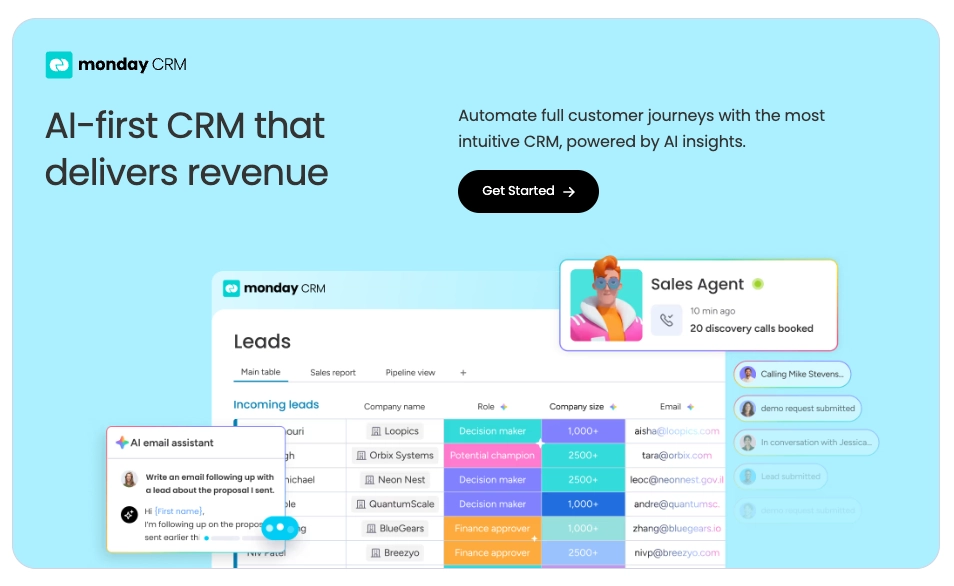
Large organizations should look to Monday.com’s Enterprise offering. Enterprise plans are customized but generally include:
- Unlimited users and enterprise-grade admin controls
- Dedicated support, account management, and onboarding services
- Advanced security, compliance features, and contractual protections (data residency, SOC 2, HIPAA where available)
Enterprise buyers can also negotiate AI feature access, higher automation/integration limits, and guaranteed SLAs as part of a bespoke agreement.
Below is a high-level feature comparison to help you map needs to plans. Note: feature availability and exact seat counts/pricing can change — verify current per-user month pricing and plan details on each vendor’s site before buying.
| Plan | Users / Scale | Key Features |
| Free | Small (trial / 1–3 users) | Basic boards, limited integrations/automations, basic views |
| Basic | Small teams | More integrations, extra views, modest automation quotas |
| Standard | Growing teams | Advanced integrations, timeline/Gantt views, higher automation limits |
| Pro | Larger teams | Advanced security/admin, priority support, extended automations and dashboards |
| Enterprise | Organization-wide | Unlimited seats, dedicated support, custom security/compliance |
How to choose: a quick checklist
- If you’re under ~10 users and experimenting: start on the Free or Basic plan to validate workflows.
- If your team relies on several integrations and needs advanced automations: Standard is often the sweet spot.
- If you need enterprise security, heavy automations, or guaranteed SLAs: move to Pro or Enterprise and discuss AI feature access with your account rep.
Comparing Monday.com to competitors: pricing and AI capabilities
We expand the competitor comparison later in this review to include Asana, ClickUp, Airtable, Notion, and other tools — and that matrix will show plan equivalents, automation quotas, which plans include built-in time tracking, and where AI features are available. In short: some competitors bundle more features at lower price points, while Monday.com often emphasizes UX polish, deeper integrations, and enterprise-grade support — plus the platform’s newer AI features (2024–2026) which can add measurable productivity but may be restricted to certain plans.
Quick pricing tips
- Always check per-user, per-month pricing and whether discounts apply for annual billing.
- Look at automation quotas and integration limits — these often decide whether you move to the next tier.
- Confirm which plan includes the AI capabilities you want (some are Pro/Enterprise only or require extra credits).
For the most accurate and up-to-date numbers, visit Monday.com’s official pricing page and confirm current offers, promotions, and enterprise options before purchasing.
User Experience and Interface Design
Monday.com puts a lot of thought into making its interface approachable and flexible. The result is a platform that’s simple enough for new users to get started quickly, but powerful enough to bend to complex workflows — a balance many teams appreciate in a management platform.
In our hands-on testing we found new users could be productive in days rather than weeks: set up a board from a template, invite teammates, and start assigning tasks without a long ramp-up. That said, deeper customization and advanced automations benefit from a short admin-led onboarding session.
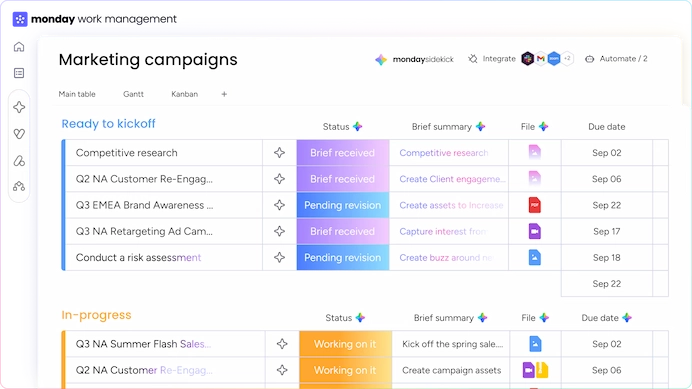
Customization is a major advantage. You can tailor boards, views, and dashboards to match how your team works — from kanban and list views to timeline/Gantt and calendar. Templates speed this up: try the Marketing Campaign, Product Roadmap, or Support Ticket Tracker templates to get started faster.
Key UX and interface highlights:
- Intuitive navigation and a clean layout that help users find boards and items quickly
- Flexible boards and views that let you switch perspectives for different stakeholders
- Seamless integrations with common tools so your workflow stays connected
Mobile and accessibility: Monday.com’s iOS and Android apps support core workflows on the go, and the platform has improved keyboard navigation and color-contrast options in recent updates (verify specific accessibility enhancements for your compliance needs).
Practical tips for a smooth rollout:
- Start with 1–2 starter templates and customize them — this reduces setup time and trains users on the board structure.
- Assign a workspace admin to manage templates and permissions so the interface stays consistent and organized.
- Use dashboards to create a single view for managers — they’re a fast way to monitor progress without opening multiple boards.
Overall, Monday.com’s user experience is a strong selling point: it combines approachable design with customizable functionality, making it a solid choice for teams that value both usability and flexibility.
Monday.com Pros and Cons: A Balanced Perspective
Every tool has trade-offs, and Monday.com is no exception. Below we walk through the strengths that make it a favorite for many teams, and the challenges you should plan for — with practical tips to mitigate them.
The Strengths of a Flexible Platform
Monday.com stands out for its flexibility and broad feature set. It’s easy to shape the platform to your processes, which helps teams move faster and reduce bottlenecks.
Key advantages include:
- Highly customizable workflows — build boards and automations that match how your business actually works.
- Visual project tracking — multiple views (kanban, timeline/Gantt, calendar) and dashboards surface progress at a glance.
- Integrated AI capabilities — AI features introduced between 2024–2026 (status summaries, predictive timelines, automation suggestions) speed up setup and reduce manual work.
- Scalability — the platform can grow from small teams to enterprise deployments with advanced admin controls.
Potential Challenges and How to Handle Them
There are a few common pain points teams report. The good news is they’re usually manageable with the right approach.
- Steep learning curve — the platform’s depth can be overwhelming at first. Mitigation: run a short admin-led onboarding, start with 1–2 starter templates, and use automation templates before building complex rules.
- Initial setup complexity — advanced automations and integrations can take time to configure. Mitigation: prioritize key workflows, test automations in a sandbox board, and document rules so they’re easy to maintain.
- Cost for large teams — depending on the plan and automation usage, costs can add up at scale. Mitigation: audit your automation usage, consolidate boards where possible, and negotiate enterprise pricing if you have many users.
- Other considerations — some teams ask for more advanced native reporting or specialized integrations — many of those gaps can be filled with third-party integrations or the platform’s API, but factor that into your implementation plan.
- Support and training — Monday.com provides documentation, templates, and a community; enterprise plans include dedicated support and onboarding services. If training is a concern, budget for an initial training session or leverage Monday.com’s professional services.
| Pros | Cons |
| Customizable workflows | Steep learning curve (mitigated by onboarding) |
| Visual project tracking | Can be costly for very large teams (audit automations to control costs) |
| Integrated AI capabilities | Initial setup complexity for advanced automations |
Bottom line: Monday.com’s rich features and evolving AI toolkit make it a powerful tool for teams that need flexibility and deep integrations. If you prepare with a clear rollout plan and a short training program, the pros typically outweigh the cons.
Need help? Check Monday.com’s support center and training resources, and consider a pilot project to validate cost and ROI before a full rollout.
Monday.com vs Competitors: How It Stacks Up
There are plenty of project management and work OS options — so how does Monday.com compare? Below we expand the comparison beyond Asana and ClickUp to include Airtable and Notion, and give practical guidance on which tool fits which use case.
Quick vendor summaries
Monday.com — a flexible work operating system focused on customizable boards, visual project tracking, and deep integrations. Recent AI updates (2024–2026) added template recommendations, natural-language automation creation, predictive timelines, and smart workload suggestions.
Asana — strong at task and project management with a clean interface and robust task workflows; good for teams that prioritize straightforward task assignment and dependencies.
ClickUp — a feature-rich, all-in-one platform that bundles docs, goals, time tracking, and many views into one product; often offers a lot of functionality for a competitive price. (Check our detailed ClickUp review 2026 here.)
Airtable — part spreadsheet, part database; excellent for teams that need relational data modeling, custom views, and low-code apps. Airtable’s automations and marketplace of blocks make it great for bespoke workflows that are data-centric.
Notion — a highly flexible notes + docs + lightweight database tool that excels at knowledge management, lightweight roadmaps, and embedded content. Notion is ideal when documentation and contextual collaboration are the priority.
| Feature / Area | Monday.com | Asana | ClickUp | Airtable | Notion |
| Primary strength | Custom workflows, visual tracking, integrations | Task management, dependencies | All-in-one feature set | Relational databases, low-code apps | Docs & knowledge, simple databases |
| Customization | High (boards, automations, templates) | Medium | High (many settings & views) | High (field types, linked tables) | High for content, lower for process automations |
| Automations & AI | Built-in automations; AI features (2024–2026) for suggestions & summaries | Automations, some AI features in higher plans | Extensive automations; added AI tools in recent updates | Automations + scripts; AI add-ons available | Limited native automations; AI features via integrations/add-ons |
| Time tracking | Available via native or integrations | Native time tracking via integrations or add-ons | Native time tracking built-in | Via extensions/integrations | Not a core feature (via integrations) |
| Integrations & templates | Extensive marketplace and templates | Wide integrations, many templates | Large integrations library, many templates | Strong integrations and community blocks | Integrations via API & community templates |
| Best for | Teams needing flexible processes, visuals, and enterprise security | Teams focused on pure task/project workflows | Organizations that want maximum built-in features at scale | Data-heavy teams building custom apps | Teams prioritizing docs, knowledge bases, and simple boards |
Pricing and plan trade-offs (high level)
Pricing structures differ: some vendors (ClickUp, Airtable) are aggressive on feature-per-dollar, while Monday.com generally positions itself around polished UX, workflow depth, enterprise support, and — since 2024 — paid access to advanced AI features in higher tiers. Asana often targets teams that want clear task flows without heavy customization, and Notion focuses on content rather than complex automations.
Practical guidance
- If your priority is deep customization, automation, and an intuitive visual interface: Monday.com is a strong candidate.
- If you want an inexpensive, feature-dense solution and built-in time tracking: consider ClickUp.
- If your work is data-centric (linked records, custom apps): Airtable is likely the best match.
- If documentation, knowledge management, and lightweight boards are your primary needs: Notion shines.
- If your team simply needs strong, easy task management with predictable pricing: Asana is worth a look.
Next steps in this review: we expand the pricing and plan comparison into a detailed matrix (per-plan seats, automation quotas, AI availability, and enterprise options) so you can compare Monday.com directly to Asana, ClickUp, Airtable, and Notion. When making a choice, weigh not just base pricing but automation quotas, integration limits, AI access (which plans include it), and the total cost of ownership as your user count grows.
Security, Compliance, and Reliability
If your organization cares about enterprise-grade security — and it should — Monday.com has been building out controls and certifications to meet those needs. In this section we summarize the platform’s approach to protecting data, managing access, and maintaining uptime, and we point out the procurement checks IT teams should run before buying.
Encryption and data protection: Monday.com uses industry-standard encryption for data in transit (TLS) and at rest. That helps keep your sensitive information protected while it moves between clients and servers and while it’s stored on the platform.
Access controls and admin tooling: Monday.com provides role-based permissions, granular access settings, and admin controls so you can limit who sees what. These controls let IT teams enforce least-privilege access and reduce the risk of accidental data exposure.
Compliance and certifications: Monday.com publicly lists major compliance frameworks and security certifications it supports (for example, SOC 2 and GDPR). Some compliance features — such as HIPAA support, data residency guarantees, or signed Business Associate Agreements — are typically available only on Enterprise plans or via a negotiated contract, so verify availability and request documentation when evaluating the platform.
Reliability and continuity: Monday.com maintains backup and disaster recovery procedures to minimize downtime and data loss. If your procurement process requires an SLA, request the vendor’s current uptime guarantees and SLA terms — enterprise agreements can include stronger guarantees and dedicated support.
Practical procurement checklist for security teams:
- Ask for the most recent SOC 2/ISO/other audit reports and confirm the date of issuance.
- Verify encryption in transit and at-rest details and request key-management information if needed.
- Confirm whether HIPAA or other industry-specific protections are included in your target plan or require an Enterprise contract.
- Ask about data residency and whether Monday.com can host your data in a specific region.
- Request SLA terms, uptime history, and a security contact for escalation during onboarding.
Bottom line: Monday.com work management software places a clear emphasis on security, compliance, and operational reliability, but the exact protections and contractual terms can depend on the plan and your negotiations. During procurement, verify certifications and get written confirmation of the security and data controls that matter most to your business.
Real-World Applications and Customer Feedback
Monday.com is used across industries because it adapts well to different kinds of work — from campaign planning to incident response and field operations. Its flexibility means teams can model processes, share status, and automate manual steps without stitching together multiple tools.
Industry-Specific Use Cases
Below are common ways teams use the platform in real-world settings:
Key Industries and Their Use Cases:
- Marketing teams use Monday.com to manage campaigns, coordinate assets, and track creative reviews using calendar and kanban views.
- IT departments use it for project management, incident tracking, and change requests — combining boards with automations to speed triage and resolution.
- Construction and field teams use boards for project planning, resource allocation, and compliance tracking, often mirroring items to central dashboards for executive visibility.
| Industry | Primary Use Cases | Benefits |
| Marketing | Campaign management, asset collaboration, approval workflows | Faster campaign launches, clearer ownership, fewer missed deadlines |
| IT | Project management, incident & ticket tracking, change control | Improved response times, consolidated incident history, better SLA tracking |
| Construction | Project planning, resource allocation, compliance checklists | Stronger coordination across teams, clearer progress tracking, improved compliance |
Most Monday.com reviews and customer feedback on platforms like G2 and Trustpilot generally highlight the platform’s user-friendly interface, strong customization, and useful automations — while also calling out areas for improvement such as deeper native reporting or more out-of-the-box integrations for niche systems. When referencing review site metrics, be sure to verify the date and the sample size to keep numbers accurate.
User Sentiment Highlights:
- Users frequently praise the intuitive interface and configurable boards that streamline collaboration.
- Many teams value the platform’s templates and automations for reducing repetitive work.
- Some customers request more advanced reporting or tighter native integrations with specialized tools — these gaps are often addressed via integrations or APIs.
AI-related customer benefits (2024–2026): early adopters reported time savings from AI-generated status summaries and automation suggestions — for example, teams using AI summarization reduced meeting prep time by shortening status updates into concise paragraphs (verify specific case-study metrics when available).
Suggested visuals for the full article: include one short customer quote box (sourced) and a one-paragraph mini case study showing measurable results (e.g., reduction in turnaround time or automation-driven time savings) — be sure to cite the source and date for any quantified claims.
Overall, Monday.com’s adaptability, templates, and growing AI tools make it a practical product for many teams. The final decision should factor in how well the platform integrates with your existing systems, whether its templates match your workflows, and how its automation and AI features will reduce workload for your users.
Expert Recommendations: Who Should Use Monday.com?
Monday.com is a versatile work operating system, but it isn’t the perfect fit for every team. Based on feature depth, integrations, and the platform’s post-2024 AI additions, here’s who tends to get the most value and how to roll it out successfully.
Ideal Team Sizes and Organizational Structures
Monday.com adapts well across different team sizes and structures:
- Small to Medium-Sized Businesses (SMBs): SMBs benefit from Monday.com’s templates, customizable workflows, and automation to scale processes without adding headcount.
- Large Enterprises: Enterprises get value from advanced admin controls, security/compliance options, dedicated support, and the platform’s newer AI features (often included in higher tiers or as add-ons).
- Remote and Distributed Teams: Built-in collaboration, cross-board dashboards, and mobile apps keep remote teams aligned and productive.
Organizational fits include:
- Functional teams that want standardized processes per department.
- Matrix organizations that need project-centric boards with cross-functional visibility.
- Flat structures that prefer collaborative boards and lightweight governance.
Best Practices for Implementation and Adoption
To get the most from Monday.com, follow these practical steps:
- Start with a clear plan — map critical workflows before building. Identify three core processes to automate first (e.g., task handoffs, approval flow, and recurring reporting).
- Use templates as a foundation — pick 1–2 starter templates (Marketing Campaign, Product Roadmap, Support Ticket Tracker) and customize them so users aren’t staring at a blank board.
- Assign an admin or champion — one person should manage templates, permissions, and best practices to keep the workspace tidy.
- Deliver short, role-based training — 30–60 minute sessions for users and deeper workshops for admins help reduce the learning curve.
- Roll out in phases — pilot with one team, measure impact, then expand. Use early wins to build momentum.
How to Measure Success
Track a few KPIs to measure ROI after adoption:
- On-time delivery rate for projects and tasks
- Average cycle time from task creation to completion
- Number of manual steps removed by automations (time saved)
- User adoption metrics (active users, boards created, automations used)
Additional tips: if AI features matter to you, confirm which plan includes the specific AI capabilities you need (some advanced AI tools are reserved for Pro/Enterprise or require extra credits). Also, plan for governance around automations and integrations to avoid sprawl and unexpected costs.
Call to action: consider starting with a small pilot (under 10 users) to validate workflows and cost. If you’re evaluating Monday.com at scale, request a demo and an enterprise consultation to discuss custom plan options, AI access, and support levels.
- In summary, Monday.com suits businesses that need flexible workflows, predictable governance, and a platform that can grow from a single team to enterprise-wide use. With a clear plan, basic training, and phased rollout, you can realize meaningful productivity gains.
Monday.com Review – Conclusion
In this Monday.com review, we found the platform to be a capable and flexible work operating system that helps teams manage projects, automate routine work, and collaborate more efficiently. Its mix of customizable workflows, visual project tracking, and the AI features introduced between 2024 and 2026 make it a practical option for many organizations.
That said, the right choice depends on your priorities: if you need deep customization, polished UX, and enterprise-grade support, Monday.com is worth serious consideration. If your primary needs are lightweight task tracking or data-heavy custom apps, other tools may offer a better fit at a different price point.
Bottom line: Monday.com is a strong, adaptable platform for teams that want a balance of power and usability — especially when you factor in the productivity gains from newer AI tools. For pricing details and a side-by-side comparison with competitors (Asana, ClickUp, Airtable, Notion), see the expanded pricing and comparison sections above.
Next steps: try Monday.com’s free tier to validate workflows with a small pilot, or request a demo if you’re evaluating enterprise options — and always confirm current pricing and AI feature availability on the vendor’s pricing page before committing.
Frequently Asked Questions (FAQ)
What is Work OS, and why is it important?
The “Work OS” (Operating System) term coined by Monday.com means it’s an all-in-one platform that centralizes how teams manage tasks, projects, and data — essentially a single place to design workflows, automate routine work, and share status. In practice, a Work OS like Monday.com reduces tool sprawl, improves collaboration, and gives leaders a clearer view of work across the organization.
How does Monday.com use modern AI tools to improve efficiency?
Monday.com added several AI-driven features between 2024 and 2026 — for example, AI-generated status summaries, natural-language automation builders, predictive timelines, and workload balancing suggestions. These tools speed up setup and reduce manual reporting, but availability and quotas can vary by plan, so check the pricing section for plan-level details.
What should we expect from Mmonday.com pricing for our organization?
Monday.com offers tiers for small teams up to enterprise. For many teams, Standard or Pro hits the right balance of automations, integrations, and dashboard views — however, advanced AI features and enterprise security options may be limited to higher tiers or available as add-ons. Always verify current per-user, per-month pricing and plan inclusions on Monday.com’s pricing page before deciding.
How does Monday.com compare to competitors like Asana, ClickUp, Airtable, and Notion?
Short answer: Monday.com excels at flexible boards, visual project tracking, and deep integrations. Asana focuses on straightforward task workflows, ClickUp bundles many features (including native time tracking) at competitive pricing, Airtable is best for data-heavy relational apps, and Notion is ideal for docs and lightweight databases. See the competitor matrix in this review for a detailed side-by-side comparison.
What are the main Monday.com pros and cons?
Pros: Highly customizable workflows and templates, strong visual tracking, and useful automations (plus AI features added 2024–2026). Cons: a steeper learning curve for complex setups and potential costs at large scale. Mitigation: use templates, run a pilot, and invest in short admin training.
Is Monday.com feedback positive for large-scale enterprises?
Generally yes — many large organizations appreciate Monday.com’s security, scalability, and enterprise support options. If you’re an enterprise buyer, request SOC 2/ISO reports, confirm data residency options, and discuss AI feature access and SLAs with your sales engineer during procurement.
Is Monday.com a top choice in our latest project management software review?
Yes — Monday.com is widely regarded as a leading work operating system because of its flexibility, integrations, and features. That said, the “best choice” depends on your needs (simplicity vs. customization, budget, and required integrations). So use the comparison and pricing sections above to help decide.
Discover more from Best Software & Apps — Tested & Reviewed
Subscribe to get the latest posts sent to your email.