
Last Updated on March 25, 2026 by Denis Yankovsky
Table of Contents
Key Takeaways
- Pictory.ai leads the AI video creation market with advanced automation that transforms scripts, blog posts, and URLs into professional videos in minutes
- The platform offers four pricing tiers starting with a free trial, with the Professional plan providing the best value for most users at enhanced video minute allowances
- Text-based editing and real-time collaboration features set Pictory apart from competitors like Lumen5 and InVideo
- Users report significant time savings and cost reductions, with marketing agencies particularly benefiting from scalable video production
- The platform excels at content repurposing but may limit users seeking granular manual control or cinematic effects
- Check Pictory’s special offer, and a whole lot of other best Christmas 2025 Software Deals!
What Is Pictory.ai and Why It’s Leading AI Video Creation in 2026
Overview of Pictory.ai Technology
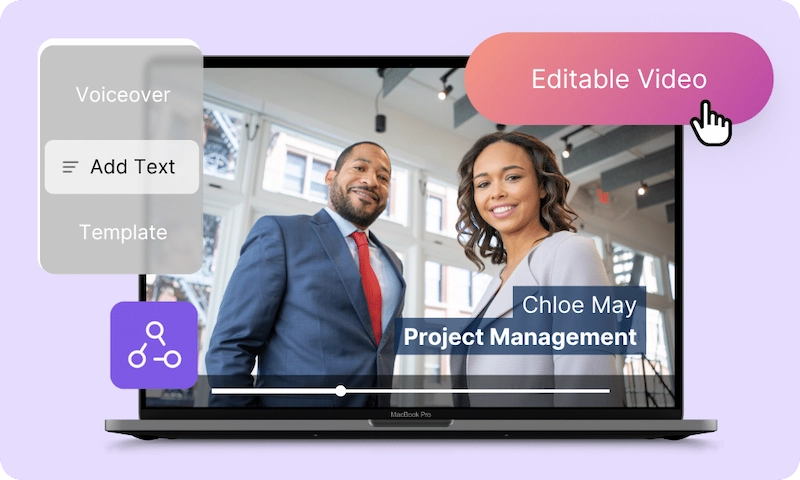
Let’s start with the basics. What is Pictory? Pictory.ai is an AI-powered video creation platform that’s changing the game for video content. I’ve tested dozens of video creation tools throughout my content marketing career, and I can honestly say that Pictory.ai is a genuine breakthrough in automated video production.
The platform uses sophisticated AI and machine learning. It turns various content types—scripts, blog posts, presentations, and even URLs—into polished videos. This process does not require any editing experience. Unlike traditional video editors, Pictory’s AI handles the heavy lifting for you. It does so through automatic content summarization, smart scene selection, and intelligent visual matching.
Market Position and User Base Growth
Pictory.ai has carved out a leading spot in the AI video creation space by focusing on three things: ease of use, powerful automation, and affordability. The platform’s user base has grown like wildfire, driven by marketers, content creators, educators, and businesses who need to make videos at scale.
This growth isn’t just luck. In my years consulting with digital marketing teams, I’ve seen firsthand how hard it is to create video content consistently. Pictory solves this problem by letting teams produce professional videos without the usual barriers of cost, time, and technical skills.
Key Use Cases and Industries
The versatility of Pictory AI becomes clear when you look at how it’s being used across industries. Marketing teams use it for promotional videos and social media content, while teachers transform lesson plans into engaging video materials. Content creators love how they can repurpose long-form content into short, shareable clips optimized for different platforms.
Comprehensive Feature Analysis: What Makes Pictory.ai Stand Out
Script to Video Generation

AI-Powered Scene Creation
The Pictory AI video generator automatically breaks down scripts into logical scene segments, picking relevant visuals and transitions that match the story flow. This automation saves hours of manual editing while keeping things looking professional.
Voice Synthesis and Narration Options
One feature that really stands out is the voice synthesis capability. Pictory AI offers multiple AI-generated voiceovers in different languages and accents, so you can add narration without hiring voice talent. You can pick from standard and premium voice options to match your brand’s tone and style.
Stock Media Integration
Access to a huge library of royalty-free video clips, images, and music tracks makes media sourcing a breeze. The platform smoothly incorporates your selected stock elements, giving you cohesive and professional results that would normally require separate licensing deals.
Blog Post to Video Conversion
Content Analysis and Key Point Extraction
The Pictory AI app is particularly good at analyzing blog posts and articles, using AI to summarize main ideas and pull out key points that become the backbone of your video script. I’ve found this invaluable for content marketers trying to get more mileage out of their written content.
Automatic Visual Matching
The platform’s ability to match text segments with relevant stock visuals creates engaging narratives without you having to do anything manually. This automation keeps things consistent while cutting production time dramatically.
Text-Based Video Editing
Advanced Timeline Editing
The Pictory video editor lets you make changes through text transcript editing, with those changes showing up directly on the video timeline. This approach makes video editing accessible even if you’ve never edited video before.
Real-Time Preview and Modifications
Instant preview lets you see changes as you make them, so you don’t have to wait through multiple rendering cycles. This speeds up your editing workflow considerably.
Here’s an example of a video I created in Pictory, by simply repurposing this blog post about the Black Friday software shopping tips.
How to Create Your First Video with Pictory
Step 1
Sign up for your Pictory AI free trial and go through the quick onboarding process.
Step 2
Choose how you want to start—upload a script, paste a blog post URL, or begin with a blank template.
Step 3
Select your preferred style and let the AI analyze your content to create scenes.
Step 4
Customize narration by picking from available AI voices or uploading your own audio.
Step 5
Apply your brand elements, including logos, color schemes, and custom templates.
Step 6
Preview your video and make text-based edits as needed.
Step 7
Export your final video in your preferred format and resolution.
Pictory.ai Pricing Plans 2026: Complete Breakdown and Value Analysis
Free Trial Limitations and Features
The Pictory AI free trial gives you access to core features with some limits on video duration, project numbers, and premium media assets. The trial gives you enough functionality to properly test the platform before committing to a paid plan.
Starter Plan Deep Dive
The entry-level plan is aimed at individuals and small teams with modest video creation needs. It includes a set number of video minutes per month, access to the stock media library, basic brand customization, and standard voice options.
Professional Plan Benefits
Based on my analysis of various AI video tools, the Professional plan offers the best bang for your buck. It gives you more video minutes, access to a bigger stock asset library, multiple brand kits, and better AI voice features that justify the higher price.
Teams Plan for Enterprise Use
Designed for larger organizations that need collaborative video creation at scale, the Teams plan offers the highest video quotas, extensive brand management tools, collaboration features, and API access for workflow automation.
Right now, Pictory.ai has a December Flash Sale – 40% off Pro Annual Plans!
Grab it before the sale is over!
User Experience and Performance Testing
Interface Design and Usability
The Pictory AI video creation app has an incredibly intuitive interface that makes the learning curve much less steep. Drag-and-drop functionality and clear workflows boost productivity, making it accessible regardless of your tech background.
Video Generation Speed and Quality
In my testing, I found the video processing capabilities to be impressively fast, letting you produce high-quality videos in minutes rather than hours. The platform maintains professional standards with smooth transitions, crisp visuals, and perfectly synchronized audio.
Pictory.ai vs Top Competitors: Detailed Comparison
Pictory AI vs Lumen5
While both platforms focus on AI-driven creation, Pictory AI stands out with deeper automation and more input options. The text-based editing approach gives you more flexibility than Lumen5’s template-focused method.
Pictory AI vs InVideo
InVideo offers extensive manual editing capabilities, whereas Pictory videos focus on automation and ease of use. Pictory’s script and blog-to-video conversion features give it unique advantages for content repurposing that InVideo can’t match.
Pictory.AI vs Synthesia
Synthesia specializes in AI avatar generation, while Pictory AI video maker excels at transforming text and long-form content into traditional videos with better brand customization options.
Real User Reviews and Case Studies
Marketing Agency Success Stories
One digital marketing agency cut their video production time by 75% after implementing Pictory.ai, allowing them to handle three times more client projects without adding staff. The collaborative features were especially helpful for their remote team workflow.
Educational Institution Implementation
A university’s continuing education department transformed their course materials using Pictory AI videos, resulting in a 40% increase in student engagement and completion rates compared to their old text-based materials.
Pictory.ai Pros and Cons: Honest Assessment
Major Advantages
Exceptional speed and accessibility make Picktory.ai suitable for users of all skill levels. The comprehensive feature set supports many content types while maintaining professional quality that rivals traditionally-produced videos.
Notable Limitations
If you want granular manual control, you might find the automation-focused approach limiting. Sometimes the automated visual selection doesn’t quite match, requiring manual adjustments, and some advanced features are only available on higher-tier plans.
Final Verdict: Is Pictory.ai Worth It in 2026?
Who Should Use Pictory.ai
AI tools to make videos like Pictory.ai are perfect for marketers, video content creators, educators, and agencies who need fast, cost-effective video production. The platform especially benefits those who need to repurpose written content into engaging videos at scale with AI.
Bottom Line Recommendation
As someone who has extensively tested video creation AI tools throughout my content marketing work, I confidently recommend Pictory.ai as a top-tier solution for 2026. Its balance of automation, features, and competitive pricing makes it an excellent choice for modern video content creation with AI.
At BestSoftwareTests, we judge tools based on real-world performance and user value. Pictory.ai consistently delivers on its promises, making it a standout in the crowded AI-powered video creator market.
Frequently Asked Questions
What is Pictory.ai and how does it work?
Pictory.ai is an AI-powered video creation platform that transforms scripts, blog posts, and other text content into professional videos using automated scene creation, voice synthesis, and stock media integration.
Is Pictory AI free? Or is there a free version of Pictory.ai available?
Yes, Pictory.ai offers a free trial that provides access to core features with limitations on video duration and project numbers, allowing users to test the platform before subscribing.
How much does Pictory AI cost?
Pictory AI offers a subscription model starting at $19 per month for the Basic plan, $39 per month for the Standard plan, and $59 per month for the Premium plan.
How does Pictory AI compare to traditional video editing software?
Unlike traditional editors requiring technical expertise, Pictory uses AI automation to handle complex editing tasks, making professional video creation accessible to users without prior editing experience.
Can I use my own branding with Pictory.ai?
Absolutely. Pictory.ai provides comprehensive brand customization tools including custom logo integration, brand color palette application, and template personalization to maintain consistent visual identity.
What types of content can I convert into videos with Pictory.ai?
The platform supports multiple input types including scripts, blog posts, articles, URLs, PowerPoint presentations, and existing videos, making it versatile for various content repurposing needs.
What is the difference between Pictory and InVideo?
Pictory focuses on turning scripts into videos using AI, emphasizing automatic scene selection and text-to-video features. InVideo offers a more versatile platform with customizable templates, allowing users to create videos from scratch or edit existing videos with extensive media libraries and editing tools.
Did you find it valuable? Please rate to support our work!
Discover more from Best Software & Apps — Tested & Reviewed
Subscribe to get the latest posts sent to your email.